 PH
PH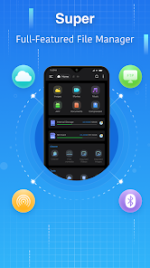
App Overview
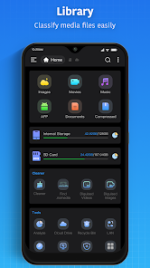
Super File Manager is a full-featured, secure file explorer and navigator for Android devices, designed for efficient local and network file management.Technical Specifications
| Property | Details |
|---|---|
| App Name | Super File Manager Explorer |
| Version | v1.5.4.1 (Build 72) |
| OS Requirement | Android 6.0+ |
| Languages | Full Multi Languages |
| Supported Screen DPIs | 120dpi, 160dpi, 240dpi, 320dpi, 480dpi, 640dpi |
| Mod Features | Pro/Premium Activated, Debug information removed |
Core Features
- Shortcut Bar: Full support for all standard file operations.
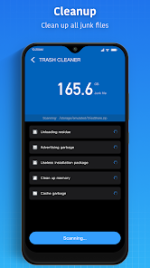
- Storage Cleaner: One-click utility to remove junk files.
- Disk Analysis: Evaluates space utilization, identifying large files, file categories, recent documents, and individual folder sizes.
- Network & Local Protocol Support: Facilitates file management across mobile storage and local area networks. Supported protocols include:
- SMB2.0, NAS, NFS, CIFS
- FTP, HTTP, FTPS, SFTP, WebDAV
- Cloud Storage Integration: Free binding support for major web storage services:
- Google Drive, Dropbox, OneDrive, Yandex, Box, Mega, NextCloud
- USB OTG Support: Management of USB external memory across multiple filesystems including FAT32, exFat, and NTFS.
- Compression & Extraction: Native support for Zip, Rar, 7zip, and obb formats.
- Media Streaming: Direct playback capabilities for music and video files hosted on connected network devices.
- Application Management: Built-in utilities for installing, uninstalling, and backing up Android applications.
- Search & View Options: Local and web search functionality, multi-file selection, thumbnail displays, and customizable viewing modes.
Recent Updates (v1.5.4.1)
- Optimized general user experience.
- Resolved known bugs.