 PH
PH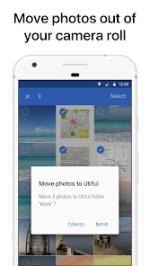
Application Overview
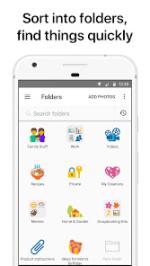
Utiful is a standalone photo filing system designed to move photos out of the primary Android camera roll and organize them into separate folders. Unlike standard gallery applications that use virtual albums, Utiful physically removes organized images from the main gallery to maintain a clutter-free camera roll while preserving the sorted files in dedicated directories.Technical Specifications
| Attribute | Details |
|---|---|
| Application Name | Utiful: Move & Organize Photos |
| Version | v9.6.0 build 1036 |
| OS Requirement | Android 7.0 and up |
| Architecture | Universal CPU |
| Supported Formats | All photo, video, GIF, and RAW formats (preserves original quality and metadata) |
| Connectivity | 100% Offline functional (No internet required) |
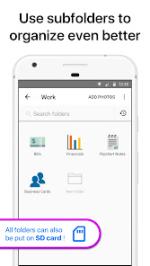
| Storage Options | Internal storage or SD card |
| Modification Details | Premium features unlocked; optimized system files; advertisements removed; Modded by TRUMods |
Core Features
- True File Moving: Displaces photos from the Android Camera Roll/Gallery directly into Utiful folders rather than just mirroring them.
- Folder Camera: Includes a built-in camera function that saves newly captured photos directly into a designated folder.
- Manual Rearrangement: Supports custom manual ordering of photos within folders.
- Folder Customization: Allows categorization using custom folder icons, emoji symbols, and distinct colors.
- Security: Protects designated folders via passcode lock or fingerprint authentication.
- Data Portability: Supports direct import/export of entire photo folders to and from a computer. No proprietary lock-in; files remain accessible on the device even if the application is uninstalled.
- System Integration: Shares directly to Utiful folders from native Android Photos or Gallery apps via the system share sheet.
Primary Use Cases
- Professional & Freelance: Separation of work-related documentation from personal media.
- Contractors & Service Providers: Management of before/after project imagery.
- Legal & Medical: Organization of reference photos, evidence, and case documentation.
- Utility & Administrative: Offloading of screenshots, receipts, IDs, and notes from the main gallery.
What's New (v9.6.0)
- Automated Date Folder Creation: Added ability to generate folders named after the current date within two taps. Configuration parameters are located under:
Settings > Advanced Settings > Default folder name > Current date.