 PH
PH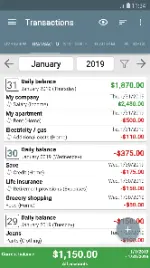
My Budget Book (v12L+)
Overview
My Budget Book is an offline finance management application designed to track expenses and income, manage accounts, and monitor budgets without requiring internet permissions.App Specifications
| Attribute | Details |
|---|---|
| Minimum Android Version | 12L+ |
| Internet Access | None (Offline Only) |
| Supported Languages | 11 |
| Mod Features | Premium Unlocked |
| Installation Method | Split APK Installer (SAI) |
Core Functionality
- Transaction Tracking: Supports individual and recurring transactions with future availability projections.
- Budget Management: Configurable limits for specific periods (e.g., weekly food, monthly fuel), account limits (credit cards), and optional budget rollover to the next period.
- Account & Category Management: Supports multiple accounts, inter-account transfers, customizable categories, subcategories, and additional tracking lists for payment types, groups, or individuals.
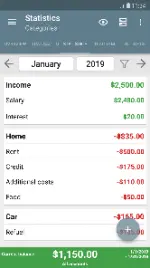
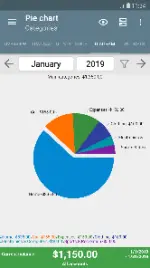
- Data Analysis: Graphical and tabular statistics groupable by categories, accounts, groups, persons, or payment types.
- Data Portability: CSV import functionality for existing data/bank statements. Export options to HTML or CSV formats.
- Security & Backups: Password protection for sensitive data. Manual and automatic backup systems.
Key Features
- Configurable Material Design layout with switchable current/monthly balance views.
- Transaction attachments (photos and receipts).
- Payment reminders and transaction templates.
- Customizable month-start definitions (e.g., matching salary dates).
- Bank statement reconciliation.
- Advanced filtering and sorting criteria.
- Four interactive widgets.
- Integrated user manual covering advanced topics like manual cloud synchronization.
What's New
- Modernized Chart Library: Replaced the legacy unmaintained chart library to comply with updated Android/Google requirements.
- Updated Visuals: Introduced modernized bar and line charts for enhanced, user-friendly data visualization.
Installation Instructions
- Download and install the Split APK Installer (SAI) application.
- Download the
.apksarchive for the app. - Open SAI, select the Install APKs button, and navigate to the downloaded archive to complete the installation.