 PH
PHNemesis was an You do not have permission to view the full content of this post.
Log in or register now. that was designed by the You do not have permission to view the full content of this post.
Log in or register now., the You do not have permission to view the full content of this post.
Log in or register now., the You do not have permission to view the full content of this post.
Log in or register now. and You do not have permission to view the full content of this post.
Log in or register now..
Nemesis was conceived with You do not have permission to view the full content of this post. Log in or register now. uses in mind. It was designed with a small You do not have permission to view the full content of this post. Log in or register now., using You do not have permission to view the full content of this post. Log in or register now. to perform functions that most operating systems perform in the kernel. This reduces the processing that is performed in the kernel on behalf of application processes, transferring the activity to the processes themselves and facilitating accounting for resource usage.<a href="You do not have permission to view the full content of this post. Log in or register now."><span>[</span>1<span>]</span></a>
The You do not have permission to view the full content of this post. Log in or register now. that Nemesis supports include You do not have permission to view the full content of this post. Log in or register now. (You do not have permission to view the full content of this post. Log in or register now., You do not have permission to view the full content of this post. Log in or register now., You do not have permission to view the full content of this post. Log in or register now., and You do not have permission to view the full content of this post. Log in or register now.), You do not have permission to view the full content of this post. Log in or register now. and You do not have permission to view the full content of this post. Log in or register now. (You do not have permission to view the full content of this post. Log in or register now. SA–110). Nemesis also runs on You do not have permission to view the full content of this post. Log in or register now. (21064 and 21164).
Download Link Terabox:
You do not have permission to view the full content of this post. Log in or register now.
1. Preparation and Downloading
Before installing Nemesis, you need to download the official disk image and prepare a bootable USB drive. [You do not have permission to view the full content of this post. Log in or register now.]
2. Configure BIOS/UEFI
Because Nemesis operates as a Linux-based portable forensic kit, modern motherboard security features will prevent it from booting. [You do not have permission to view the full content of this post. Log in or register now.]
3. Booting the Live USB
4. Running the Installer
Nemesis is designed to be frugally installed. You can run it directly from the USB, or install it permanently onto a local drive. [You do not have permission to view the full content of this post. Log in or register now., You do not have permission to view the full content of this post. Log in or register now.]
5. Post-Installation Configuration
Nemesis was conceived with You do not have permission to view the full content of this post. Log in or register now. uses in mind. It was designed with a small You do not have permission to view the full content of this post. Log in or register now., using You do not have permission to view the full content of this post. Log in or register now. to perform functions that most operating systems perform in the kernel. This reduces the processing that is performed in the kernel on behalf of application processes, transferring the activity to the processes themselves and facilitating accounting for resource usage.<a href="You do not have permission to view the full content of this post. Log in or register now."><span>[</span>1<span>]</span></a>
The You do not have permission to view the full content of this post. Log in or register now. that Nemesis supports include You do not have permission to view the full content of this post. Log in or register now. (You do not have permission to view the full content of this post. Log in or register now., You do not have permission to view the full content of this post. Log in or register now., You do not have permission to view the full content of this post. Log in or register now., and You do not have permission to view the full content of this post. Log in or register now.), You do not have permission to view the full content of this post. Log in or register now. and You do not have permission to view the full content of this post. Log in or register now. (You do not have permission to view the full content of this post. Log in or register now. SA–110). Nemesis also runs on You do not have permission to view the full content of this post. Log in or register now. (21064 and 21164).
Download Link Terabox:
You do not have permission to view the full content of this post. Log in or register now.
1. Preparation and Downloading
Before installing Nemesis, you need to download the official disk image and prepare a bootable USB drive. [You do not have permission to view the full content of this post. Log in or register now.]
- Download: Grab the latest Nemesis-v...XFCE-x86_64.iso from You do not have permission to view the full content of this post. Log in or register now..
- Flashing: Use a tool like Rufus (Windows) or BalenaEtcher to flash the ISO onto a USB drive (minimum 4GB). [You do not have permission to view the full content of this post. Log in or register now., You do not have permission to view the full content of this post. Log in or register now., You do not have permission to view the full content of this post. Log in or register now., You do not have permission to view the full content of this post. Log in or register now.]
2. Configure BIOS/UEFI
Because Nemesis operates as a Linux-based portable forensic kit, modern motherboard security features will prevent it from booting. [You do not have permission to view the full content of this post. Log in or register now.]
- Restart your PC and press your manufacturer's Boot Menu key (commonly F12, F10, or Esc).
- Enter the BIOS/UEFI setup utility.
- Locate the Security menu and disable Secure Boot.
- Save your changes and restart. [You do not have permission to view the full content of this post. Log in or register now.]
3. Booting the Live USB
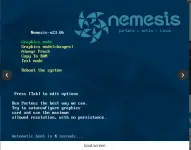
- Insert the Nemesis USB into your machine and boot into the Boot Manager.
- Select your USB drive.
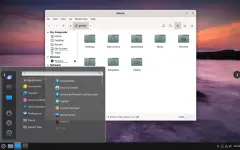
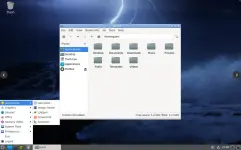
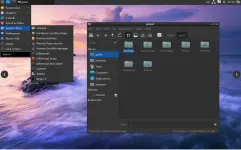
- Once the system boots into the Live environment (typically using the XFCE or LXDE desktop), log in.
- (Default root credentials for the live environment are usually username: root, password: toor). [You do not have permission to view the full content of this post. Log in or register now., You do not have permission to view the full content of this post. Log in or register now., You do not have permission to view the full content of this post. Log in or register now.]
4. Running the Installer
Nemesis is designed to be frugally installed. You can run it directly from the USB, or install it permanently onto a local drive. [You do not have permission to view the full content of this post. Log in or register now., You do not have permission to view the full content of this post. Log in or register now.]
- Open the application menu and search for the Nemesis Installer.
- Select your target drive. It is highly recommended to partition your drive (e.g., a 2GB EFI partition and a larger ext4 partition for the root directory).
- Follow the on-screen prompts to write the Nemesis system files to your hard drive. [You do not have permission to view the full content of this post. Log in or register now., You do not have permission to view the full content of this post. Log in or register now., You do not have permission to view the full content of this post. Log in or register now.]
5. Post-Installation Configuration
- Once the installation script finishes, restart your computer and remove the USB drive.
- Log in and connect to your network to ensure your repositories are functioning properly. [You do not have permission to view the full content of this post. Log in or register now., You do not have permission to view the full content of this post. Log in or register now., You do not have permission to view the full content of this post. Log in or register now.]