 PH
PH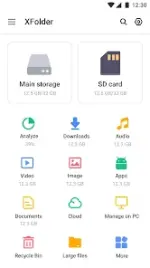
XFolder File Manager v1.5.5.7 (Pro)
XFolder is a desktop-grade file management utility for Android designed for efficient local and cloud file handling. It supports comprehensive file operations, archive management, and integrated multimedia tools.Technical Specifications
| Category | Details |
|---|---|
| Version | v1.5.5.7 (Build 1557000) |
| Android Requirement | 6.0+ |
| Architectures | arm64-v8a, armeabi-v7a |
| Screen DPIs | 160dpi, 240dpi, 320dpi, 480dpi, 640dpi |
| Mod Status | Pro Activated, Premium, Debug info removed |
| Languages | Full Multi-Language support |
| Permissions | WRITE_EXTERNAL_STORAGE (File management access) |
Core Functionality
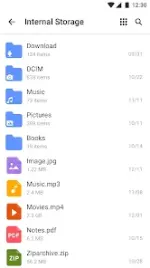
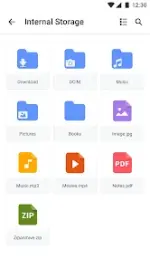
- File Operations: Browse, create, multi-select, rename, copy/paste, and move files or folders.
- Storage Management: Support for internal storage, SD cards, and USB OTG.
- Cloud Integration: Unified management for Google Drive, OneDrive, and Dropbox.
- Security: Private folder locking for sensitive data.
- Protocol Support: FTP (File Transfer Protocol) for accessing device storage via PC.
- Archive Handling: Built-in RAR/ZIP compression and decompression.
Optimization & Utilities
| Feature | Description |
|---|---|
| Cleanup Tools | Scan and remove duplicate files, large files, and unused apps. |
| Recycle Bin | Recovery system for deleted files. |
| Media Suite | Built-in Music Player, Image Viewer, and Video Player. |
| File Filtering | Quick access to Downloads, Documents, Videos, Audios, Images, and Archives. |
| Hidden Files | Optional toggle to display system/hidden files. |
Recent Updates
- Implemented new UI themes.
- Added cache file cleaning utility.
- General bug fixes and performance optimizations.