 PH
PH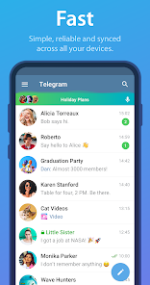
App Overview: Telegram v12.7.0 [Premium] [Stable]
Telegram is a multi-platform, cloud-based instant messaging service focused on speed and security. It utilizes a distributed network of data centers to minimize latency and provides end-to-end encryption for specific communication modes.Technical Specifications
| Category | Details |
|---|---|
| Version | v12.7.0 (Build 67402) |
| OS Requirement | Android 6.0+ |
| Architectures | arm64-v8a, armeabi-v7a, x86, x86_64 |
| DPI Support | 120dpi, 160dpi, 240dpi, 320dpi, 480dpi, 640dpi |
| Languages | Full Multi-Language support |
Core Functional Features
- Multi-Device Sync: Standalone applications for phones, tablets, and computers; cloud-based history requires no local disk space.
- File Handling: Supports unlimited transfers of any file type (.DOCX, .MP3, .ZIP, etc.) up to 2 GB per file.
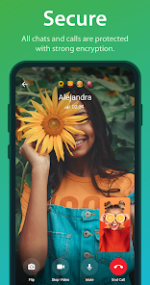
- Encryption Standards: Utilizes 256-bit symmetric AES, 2048-bit RSA, and Diffie-Hellman key exchange.
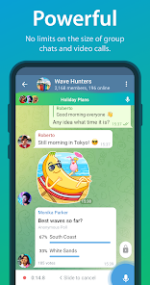
- Scalability: Group chats support up to 200,000 members; includes a bot API for automation and task management.
- Secret Chats: Features end-to-end encryption and programmable self-destruct timers for messages, media, and files.
- Developer Support: Fully documented free API and verifiable builds for open-source transparency.
Modification (Mod) Features
The following features are enabled in this build. Note that server-side premium features remain restricted.- Performance: Download Speed Boost enabled.
- User Interface: Premium app icons enabled; sponsored messages and ads removed.
- Limits: Increased capacity for 10 pinned chats, 10 favorite stickers, 20 folders, and 200 chats per folder.
- Management: Advanced chat management tools enabled.
- Code Optimization: Removed .source attributes from Java files and stripped all debug code.
OTP Login Workaround
If the standard OTP code is not received via SMS, use the following procedures:Method 1: Web Login
- Authenticate via the official web portal using your phone number.
- Launch the Premium version; the OTP will be sent to your active web session.
- Install and log in to the Telegram X client.
- Launch the Premium version; the OTP will be delivered to the Telegram X instance.