 PH
PH
Xodo PDF Reader & Editor
Xodo is a comprehensive PDF utility designed for viewing, annotating, and managing documents across mobile and desktop environments. It features a high-performance viewing engine and supports full integration with major cloud storage providers for automated synchronization of edits.Technical Specifications
| Feature | Details |
|---|---|
| Android Version | 7.0+ |
| Architecture | Full Multi Languages |
| Supported DPIs | 120dpi, 160dpi, 240dpi, 320dpi, 480dpi, 640dpi |
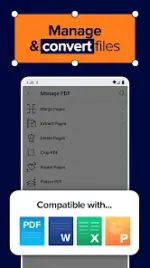
| File Compatibility | PDF (Standard), MS Office (Word, PPT, Excel), Image (TIF, JPEG, GIF, PNG) |
| Cloud Integration | Google Drive, Dropbox (Delta sync), OneDrive |
| Mod Status | ρáíd Subscription Unlocked, Debug code removed, Premium enabled |
Key Functional Areas
1. PDF Viewing & Navigation
- Reading Modes: Night Mode, Reflow Mode, Full Screen, and Samsung Multi Window support.
- Scrolling: Continuous vertical scrolling in single-page, two-page, and cover-page layouts.
- Optimization: Page cropping for small screens and thumbnail browsing for document overviews.
- Navigation: Tabbed document switching, full-text search with result lists, and Table of Contents support.
2. Annotation & Editing
- Markup Tools: Direct drawing, typing, highlighting, underlining, and strikeouts.
- Shapes: Insertion of arrows, circles, and lines.
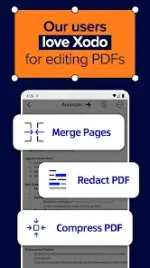
- Page Management: Merge/split PDFs, rotate pages, delete pages, and reorder thumbnails.
- Stylus Support: Optimized for S-Pen and select active styluses.
- Collaborative Editing: Xodo Connect allows real-time, multi-user online annotation without mandatory signups.
3. Creation & Conversion
- Format Conversion: Open MS Office files for annotation and save directly to PDF.
- Imaging: Integrated document scanning via camera or conversion of existing image files to PDF.
- Note Taking: Generate blank PDFs for handwritten or typed notes.
4. Forms & Signatures
- Form Filling: Full support for interactive PDF form completion.
- Digital Signatures: Hand-drawn signature capture with encrypted saving for recurring use.
5. File Management
- Organization: Built-in manager for renaming, copying, moving, or deleting files and folders.
- Recent Activity: Quick access to recently opened documents with automatic page-position recovery.
Version History & Mod Info
- Recent Updates: General bug fixes and performance improvements.
- Mod Details:
- Unlocked Premium/ρáíd features.
- Removed
.sourceattributes from Java files. - Cleaned all debug code for optimized performance.