 PH
PH
Description:
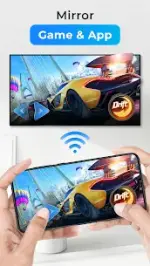
Cast to TV lets you cast online videos, live streams, and local media from your Android phone to a wide range of streaming devices and smart TVs. You can watch movies on a bigger screen, play music through your TV speakers, or run photo slideshows for family and friends—all from your phone.Cast to Popular Devices (Chromecast, Roku, Fire TV, and More)
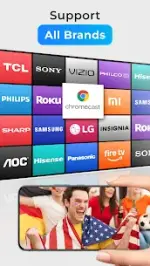
Cast to TV supports many common receivers and DLNA-compatible devices, including:- Chromecast
- Smart TVs (Samsung, LG, Sony, Hisense, Xiaomi, Panasonic, and others)
- Roku (Roku devices, Roku Stick, Roku TVs)
- Amazon Fire TV / Fire Stick
- Xbox One / Xbox 360
- Apple TV via AirPlay
- Other DLNA receivers
(Some platforms and formats depend on device support.)
Cast Local Media from Phone or SD Card
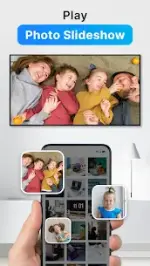
The app automatically scans your phone and SD card to identify video, audio, and photo files. You can cast local videos, send music to your TV, or start a photo slideshow without manually browsing through folders.Built-In Browser for Web Video Casting
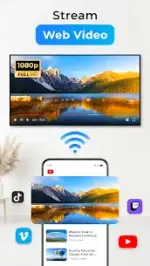
Cast to TV includes an in-app browser designed for web video casting. You can open a website, find a playable video, and send it to your TV for a larger viewing experience.Live Streams: Sports and Gaming on Your TV
You can cast live sports and gaming streams to your TV, which makes it easier to watch events and live content on a bigger screen while controlling playback from your phone.Full Remote Control from Your Phone
Cast to TV turns your phone into a remote control for casting sessions. You can:- pause and resume
- adjust volume
- seek forward and backward
- skip to previous/next items
Play Queue and Playback Modes
You can add local videos or audio files to a play queue, then control playback modes such as shuffle, loop, and repeat. This is useful for playlists, background music, or continuous viewing.Tips for Smooth Casting
Casting depends heavily on your Wi‑Fi network and your receiver device. For best results:- connect your phone and TV/streaming device to the same Wi‑Fi network
- make sure the media format is supported by your casting device
- if casting fails, restart the router and the streaming device and try again
Mod Info:
- Premium / ρáíd features unlocked;
- Disabled / Removed unwanted Permissions + Receivers + Providers + Services;
- Optimized and zipaligned graphics and cleaned resources for fast load;
- Ads Permissions / Services / Providers removed from AndroidManifest;
- Ads links removed and invokes methods nullified;
- Ads layouts visibility disabled;
- Google Play Store install package check disabled;
- Debug code removed;
- Remove default .source tags name of the corresponding java files;
- Analytics / Crashlytics / Firebase disabled;
- AOSP compatible mode;
- Languages: Full Multi Languages;
- CPUs: armeabi-v7a, arm64-v8a;
- Screen DPIs: 120dpi, 160dpi, 240dpi, 320dpi, 480dpi, 640dpi;
- Original package signature changed;
Cast to TV2.9.4
You do not have permission to view the full content of this post. Log in or register now.