 PH
PH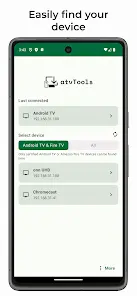
Android TV Control & Management Tool
This application provides a comprehensive suite for managing and controlling Android TV devices directly from a smartphone. Operation requires USB or Network debugging to be enabled on the target TV device.Technical Specifications
| Requirement | Detail |
|---|---|
| Minimum OS | Android 8.0+ |
| Connectivity | USB / Network Debugging (ADB) |
| Input Methods | Remote Control, Mouse Mode, Keyboard Input |
Core Functionality
| Category | Features |
|---|---|
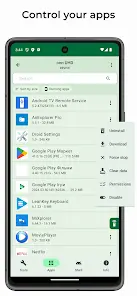
| App Management | Sideloading (Phone to TV), Open, Uninstall, Disable/Enable, Download APK, Permission control (Grant/Revoke), Force-stop running apps. |
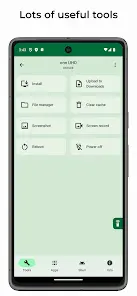
| System Tools | Built-in File Manager, Shell command execution, Global cache cleaner, Screen mirroring (Voice-to-text, Clipboard sync), Screen recording (Multiple resolutions, TCP mode, Audio support). |
| Device Control | Remote control (Floating/Full screen), HDMI selector, Hardware reboot/power, Screenshot capture, Text pasting from phone. |
| Monitoring | Real-time tracking of CPU, RAM, Network, and Storage usage. |
Version Updates & Enhancements
- Remote Control: Real microphone input (Android 13+), Floating mode, and Text-as-keyboard input.
- Installation/Transfer: Batch sideloading, progress tracking, and folder support.
- File Manager: Multi-select functionality and folder upload/download capabilities.
- Screen Recording: Enhanced TCP mode without limits and native audio support.
Troubleshooting & Optimization
- Startup Crashes: Force-stop the app, clear storage data/cache, and perform a clean reinstall.
- Mouse Latency: If the cursor exhibits lag, enable the following settings:
- Keep connected
- Keep server active
- Use native ADB
- Use server for remote
- Use server for mouse actions