 PH
PH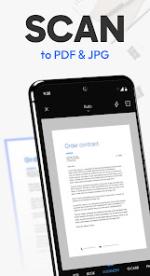


Tiny Scanner | Technical Overview
Tiny Scanner is a mobile scanning and PDF management utility designed for document digitization, editing, and secure storage.App Specifications
| Attribute | Details |
|---|---|
| Version Requirements | Android 8.0 and up |
| Architecture | arm64-v8a |
| Modification Status | Premium Features Unlocked |
| Optimization | Debug info removed; reduced app size; performance improvements |
| Localization | en-AU, en-CA, en-GB, en-IN, en-XC |
Core Scanning Functionality
- Workflow: AI-powered border detection, batch scanning for multi-page documents, and professional image filters.
- Compression: Supports file size reduction and various export methods.
- Specialized Modes:
- ID/Passport/Driver's License scanning.
- QR code recognition and link execution.
- Measurement tools for length and area calculation.
- Object counting (automated recognition of identical items).
- Mathematical problem recognition and instant solving.
PDF & Editing Tools
- Signing: Supports direct digital signing or importing scanned physical signatures.
- Annotations: Tools for adding text, images, shapes, dates, footers, and page numbers.
- Document Protection: Watermarking and markup features for content security.
- File Management: Merge multiple files into a single PDF or split existing PDFs.
AI & OCR Integration
- OCR: Text recognition for extraction, copying, and sharing.
- Conversion: Export PDF to Word, JPG, and Excel formats.
- AI Assistant: Supports file uploads for automated summaries, content polishing, and key entity extraction.
- Cloud Sync: Cross-device synchronization with cloud storage.
Security Features
| Feature | Description |
|---|---|
| File Encryption | Password protection for shared PDF documents. |
| App Encryption | Restricts access to the application via security protocols. |
| Folder Encryption | Localized secure storage for sensitive files on-device. |