 PH
PH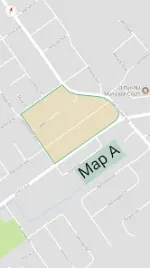
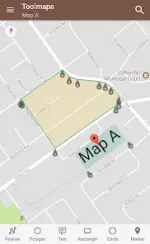
App Overview: Tools for Google Maps
This utility provides an unobstructed, full-screen environment for highlighting, editing, and capturing Google Maps data. It supports immersive mode and comprehensive vector manipulation.Technical Specifications
| Requirement | Specification |
|---|---|
| Android Version | 6.0+ |
| Immersive Mode | Supported (Android 4.4+) |
| Current Version Info | Update notes displayed upon application launch |
Core Functionality
| Category | Features |
|---|---|
| Map Editing | Add/edit polylines, polygons, rectangles, circles, and markers. |
| Text Overlays | Add, resize, and rotate text with full transparency support for all colors. |
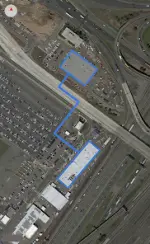
| Calculations | Measure perimeters and areas of polygons; calculate distance between two points. |
| Data Handling | Import and export to KML format; full-screen snapshot command. |
| Navigation | Address search; standard Google Maps gesture support. |
| Display Modes | Toggle between Normal, Satellite, Hybrid, and Terrain views. |
| Map Layers | Toggleable Compass, Buildings, Traffic, and Indoor layers. |
Modification (Mod) Details
| Feature | Description |
|---|---|
| Licensing | Premium features unlocked. |
| Optimization | Debug code, unwanted Permissions, Receivers, Providers, and Services removed/disabled. |
| Ads Management | Permissions, links, and layouts removed; associated method invokes nullified. |
| Privacy/Analytics | Analytics, Crashlytics, and Firebase components disabled. |
| System Layers | Direct access to toggle compass, buildings, traffic, and indoor data. |