 PH
PH
Polish: AI Photo Editor (Pro v1.742.256)
Polish is a comprehensive photo editing suite utilizing AI-driven tools for image enhancement, retouching, and graphic design. The application integrates an AI art generator with traditional editing features to facilitate high-resolution output suitable for professional and social platforms.Technical Specifications
| Category | Details |
|---|---|
| Version | v1.742.256 (Build 252001) |
| Android OS | 9.0+ |
| License Type | Pro / Premium |
| Core Features | AI Filters, Background Removal, Collage Maker, Face/Body Retouch |
Key Feature Modules
AI-Powered Tools
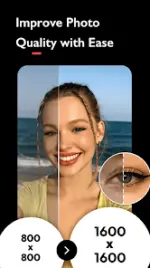
- AI Photo Enhancer: Converts blurry or low-resolution images to HD quality.
- AI Portrait & Headshot: Generates professional portraits for LinkedIn, ID, and passport requirements.
- AI Expand: Generates content to resize and extend image borders.
- AI Remove: Content-aware object and person removal.
- AI Cartoon: Avatar generation via AI art engine.
- Auto Cutout: Automated background removal and PNG sticker creation.
Editing & Effects
- Filters: Over 100 options including CCD, Flash, Y2K, VHS, and Glitch presets.
- Color Control: Full HSL adjustment for brightness, contrast, and saturation.
- Overlays: Light effects including Bokeh and Lens Flare.
- Blur Engine: DSLR-style background blurring for depth-of-field effects.
Body & Face Retouching
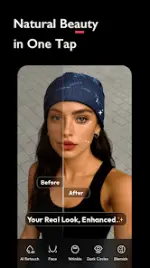
- Face Editor: Skin smoothing, feature refinement, and brightening.
- Body Shaper: Tools for body slimming and leg elongation.
- Auto Beautify: One-tap automated facial retouching.
Composition & Layout
- Collage Maker: Support for up to 18 images with customizable templates.
- Graphic Elements: 500+ stickers, fonts, and backgrounds.
- Blending: Multi-image mixing and layering for double exposure effects.
Modifications & Build Info
- Pro Features: All premium tools and AI filters enabled.
- Ads/Analytics: All advertisements and tracking analytics (including InAppBillingService) disabled.
- Optimization: Removed debug information; watermark-free high-resolution exports enabled.
- Tone Control: Auto Adjust enabled for localized tone, contrast, and brightness optimization.