 PH
PHdiscuss3387
Established
Description
KinScreen: Screen Control v6.1.2 [Premium] [Mod Extra]
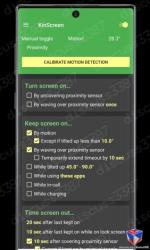
Overview: KinScreen automatically manages your device's screen to keep it on when you need it and turn it off when you don't. This makes it extremely convenient and efficient for the battery at the same time. No more touching the screen to stop it from timing out. You will notice it's missing on a new device!
• By uncovering proximity sensor (ex. flip cover)
• Indefinitely, through notification or Quick Settings toggle
• By covering proximity sensor (pocket, face down)
• After a set time of not actively being kept on (regular timeout)
• After a custom timeout when no keep-on features are active
These rules are very configurable for you to set up as you wish, with different scenarios and exceptions.
If you experience an issue, please email , or use the "contact" menu option from the app before leaving a negative review!
• Motion - The display is kept on by small movements detected from you just holding the device. When motion is not detected, the screen will time out quickly to save battery. Motion is ignored when the device is resting flat so that the screen can time-out on a moving surface.
Details
Download Links
You do not have permission to view the full content of this post. Log in or register now.