 PH
PH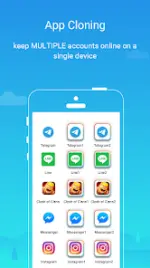
Parallel Space - App Cloning v4.0.956 (Build 1092) [Pro]
Parallel Space is an application virtualization utility based on the multiDroid engine, designed to clone and run multiple accounts of the same application simultaneously on a single Android device.Technical Specifications
| Attribute | Details |
|---|---|
| Version | 4.0.956 (Build 1092) |
| Android Requirement | 7.0+ |
| Engine | multiDroid (Application Virtualization) |
| Supported Languages | 24 |
| License | Pro / Premium Unlocked |
Core Functionality
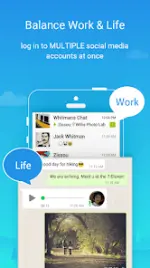
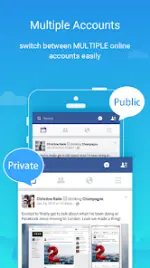
- Multi-Account Management: Log in to multiple accounts for social networking or gaming apps concurrently. Data for each account is isolated to prevent interference.
- Incognito Installation: Enables application visibility management by keeping specific apps within a private space, separate from the device's standard app drawer.
- Security Lock: Integrated security features to protect user privacy within the virtualized environment.
- Customization: Integrated theme store for styling the cloned application space and launcher.
- One-Tap Switching: Rapid transition interface to move between different active accounts.
Changelog (v4.0.956)
- OS Compatibility: Full compatibility for Android 15.
- Policy Update: Discontinued support for cloning apps that declare the
REQUIRE_SECURE_ENVflag. - Performance: Optimized overall virtualization engine performance.
- Bug Fixes: Resolution of reported stability issues.
- Feature Expansion: Support for more than two simultaneous account instances for certain applications.
Operational Notes
- Permissions: The app requests permissions on behalf of the virtualized applications. Parallel Space does not collect personal data independently.
- Resource Consumption: Memory, battery, and data usage reported by the system for Parallel Space are primarily consumed by the hosted applications. Specific metrics are available via the internal 'Storage' and 'Task Manager'.
- Connectivity: Social networking apps requiring a mobile number for authentication must use a unique, active number for each instance to pass verification.
- Notification Management: To ensure consistent notification delivery, the app should be added to the whitelist of any active battery optimization or "boost" utilities.