 PH
PH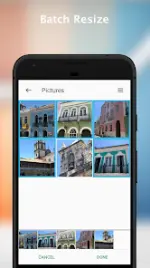
Resize Me! Pro - Photo Resizer v3.0.14
Resize Me! is a utility designed to modify image dimensions and orientation for optimized sharing and storage. The application supports individual image processing as well as automated batch operations in the Pro version.Technical Specifications
| Category | Details |
|---|---|
| Version | 3.0.14 (Build 135) |
| Required Android | 6.0+ |
| Status | ρáíd / Premium |
| Architectures | arm64-v8a, armeabi-v7a, x86, x86_64 |
| Supported DPIs | 160dpi, 240dpi, 320dpi, 480dpi, 640dpi |
| Languages | Full Multi-Language support |
Core Features
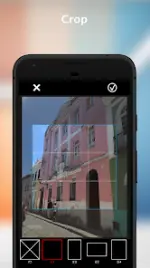
- Image Manipulation: Tools for rotating, cropping, and resizing.
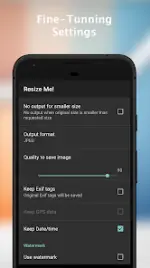
- Format Support: Save output in JPEG or PNG formats.
- Data Preservation: Retains EXIF tags and GPS metadata.
- Customization: Set custom dimensions and use results as system wallpaper.
- Integration: Can be launched directly from the camera, gallery "share" menu, or as an attachment handler in mail applications.
Pro Version Features
- Batch Resize: Simultaneous processing of multiple images.
- Text Watermark: Apply custom text overlays to processed photos.
Workflow Methods
Direct Execution- Launch application and select/capture a photo.
- Apply rotation, cropping, or resizing parameters.
- Save or share the output.
- Open an image in a third-party viewer.
- Select "Share" or "Send" and choose Resize Me!.
- Define target image size.
- Export to the destination application.
- Initiate an attachment within a mail client.
- Select Resize Me! as the source.
- Select images via the system gallery.
- Process and attach.
Change Log (v3.0.14)
- Standardization of Pro features.
- General bug fixes and stability improvements.