 PH
PH
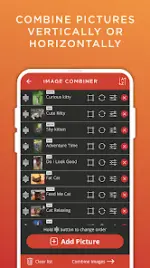

App Overview: Image Combiner & Editor
Image Combiner & Editor is a utility designed for merging multiple images and performing advanced photo editing. It features an intuitive interface with tools for collage creation, AI-driven background manipulation, and visual effects.Technical Specifications
| Category | Details |
|---|---|
| Version | v2.0719 |
| Android Requirement | 6.0+ |
| Recent Updates | Bug fixes, Minor UI improvements |
| Modification Note | Potential translation conflicts when adding Russian; existing community translation efforts are ongoing within the thread. |
Core Functionality
Image Merging & Layouts- Seamless Combination: Merge images vertically or horizontally with customizable layouts.
- Collage Creation: Multiple layout presets for rapid collage generation.
- Image Adjustment: Options to normalize and combine images of differing dimensions.
- Cropping: Manual crop tools for focal point adjustment.
- AI Background Remover: One-tap automated background erasure.
- Background Replacement: Tools to swap backgrounds on various photo types.
- Double Exposure: Blending modes to overlay two or more photos for composite effects.
- Automatic Background Removal: Integrated background stripping during the image blending process.
- Stock Photo Access: Integrated Pixabay API for browsing and importing high-quality stock images.
- Sorting: File organization by name for improved library navigation.
- Quality Control: Granular settings for output image resolution and compression.
Privacy and Performance
- Local Processing: The application does not automatically upload shared, created, or imported images to external servers.
- Architecture: Lightweight build designed for minimal resource consumption.
- UI/UX: Focus on a streamlined, professional interface for efficient workflow.