 PH
PH

Equalizer FX: Sound Enhancer & Volume Booster
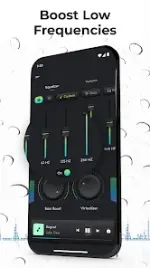
Equalizer FX is a technical audio utility designed to manipulate frequency envelopes and enhance the acoustic output of Android devices. It integrates with major streaming services and local music players to provide granular control over audio processing.Technical Specifications
| Category | Details |
|---|---|
| Current Version | v3.9.0.1 [Pro] |
| Android Requirement | 8.0 and up |
| Mod Status | Premium Unlocked |
| Changes | Ads Removed, Debug Info Removed, Premium Features Enabled |
Core Audio Effects
- Music Equalizer: An audio filter designed to modify the frequency response of the sound output.
- Bass Boost: A dedicated audio effect to amplify low-frequency signals.
- Virtualization: Enhances the stereo field by virtualizing audio channels.
- Loudness Enhancer: Increases overall music volume (Requires Android 4.4+).
Key Features and Configuration
- Presets: Includes 12 factory presets with support for custom user-defined profiles.
- Automation: Automatic activation/deactivation synced with the start/stop state of music players.
- Widgets: Home screen widgets for rapid access to equalizer settings.
- Compatibility: Supports Pandora, Spotify, TuneIn Radio, and VK. (Note: FM Radio is not supported).
- Balance Control: Added support for audio balance on Android 9.0 and higher.
Implementation Guide for Android Lollipop
To ensure proper integration on Lollipop devices, follow these steps:- Navigate to Application Settings > All Applications.
- Locate MusicFX and clear its application data.
- Install Equalizer FX.
- Launch your preferred music player and select the equalizer option to interface with the Equalizer FX engine.
Version 3.9.0.1 Changelog
- Integrated audio balance control for Android 9+.
- General stability improvements and minor bug fixes.