 PH
PH
Vapor Icon Pack - Modern Icons v1.9.0
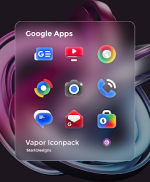
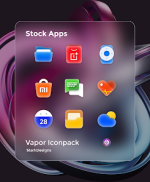
Vapor Icon Pack is a premium collection of handcrafted vector icons featuring smooth gradients and a modern aesthetic. Designed for compatibility with high-resolution displays and AMOLED screens, the pack focuses on a futuristic, clean style with consistent 256x256px scaling.Technical Specifications
| Detail | Specification |
|---|---|
| Current Version | 1.9.0 |
| Android Requirement | 5.0 and up |
| Icon Resolution | 256x256px (High-Resolution) |
| Total Icon Count | 3,460+ |
| Wallpaper Count | 50+ (Cloud-based) |
| Dashboard | Candybar |
| Licensing | Patched / Premium |
Key Features
- Icon Design: Handcrafted vector icons with dynamic gradient support and balanced shapes.
- KLWP Integration: Includes 5 Kustom Live Wallpaper (KLWP) presets combining icons, widgets, and wallpapers.
- Dynamic Calendar Support: Native support for Google and Samsung Calendar icons.
- System Customization: Includes custom folder icons and an integrated icon search/preview tool within the dashboard.
- Theming Updates: Guaranteed bi-weekly updates with a 10-request limit per update for standard users.
Launcher Compatibility
A custom launcher is required for full icon application. Supported launchers include:- Nova Launcher
- Lawnchair
- Smart Launcher
- Action Launcher
- Apex Launcher
- ADW Launcher
- Most other third-party launchers supporting icon masking and icon packs.
Recent Changes (v1.9.0)
- New Content: Added 20 new themed icons.
- Total Library: Reached 3,460+ total icons.
- Request System: Implementation of Premium Icon Requests for priority theming.
- Stability: Quick fixes for reported unthemed icons and activity linking.
Installation Instructions:
- Install a compatible custom launcher.
- Open the Vapor Icon Pack dashboard.
- Navigate to the "Apply" section.
- Select the active launcher to apply the icon set.