 PH
PH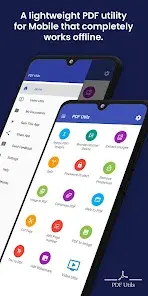
PDF Utility Mobile (v5.0+)
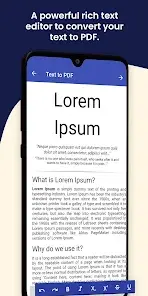
PDF Utility is a lightweight mobile application designed for creating, modifying, and managing PDF documents. It features integration with cloud storage services including Google Drive and Microsoft OneDrive.Core Functionality
| Feature Category | Capabilities |
|---|---|
| Document Assembly | Merge multiple PDFs/images into a single file; Split a PDF into several documents. |
| Page Manipulation | Reorder pages; Rotate pages; Delete specific pages (via long-click) and recreate the file. |
| Content Extraction | Extract individual images from PDF files. |
| Security & Permissions | Encrypt/Lock PDFs; Remove write protection/owner passwords. |
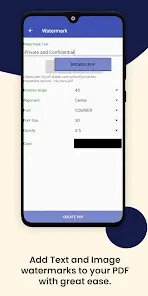
| Watermarking | Overlay text or image-based watermarks. |
Recent Updates (New Features)
- PDF Scanner: Capture physical documents using the device camera for PDF conversion.
- E-Signature: Create hand-drawn signatures to stamp onto PDF pages.
- PDF Annotation: Integrated drawing, highlighting, and erasing tools with full undo/redo support.
Technical Specifications & Build Info
| Attribute | Details |
|---|---|
| Android Version | 5.0 and up |
| File Selection | Merge tool currently limited to single-folder selection for bulk imports. |
| Mod Status | PRO features unlocked; No advertisements. |
| Optimization | Graphics optimized; Zipaligned; Debug information removed. |