 PH
PH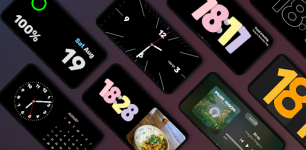
StandBy Mode Pro | App Overview
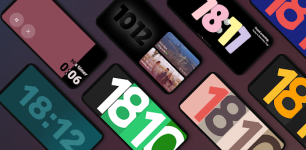
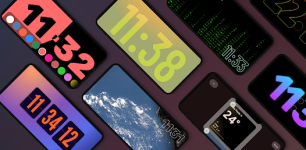
StandBy Mode Pro transforms Android devices into a dedicated smart display for desks or nightstands. Built natively with Material 3, the application features a categorized interface (Duo, Photos, Tools, Player, Weather, Relax) designed for high visibility and productivity during charging.Technical Specifications
| Category | Details |
|---|---|
| Android Version | 7.0 and up |
| Development | Native Material 3 |
| Data Privacy | Local processing (No cloud data transmission) |
| Current Beta Features | Persistent notification-free Quick Launch; Screen Saver Mode |
Core Functionality
Clock Modes & Customization The app includes a diverse library of fullscreen digital and analog displays:- Styles: Flip Clock, Neon, Solar, Matrix, Big Crop (Pixel-style), Segmented, and Analog/Digital combinations.
- Day Clock: Large text interface optimized for high visibility.
- Radial Inverter: Specifically designed as a burn-in safe layout.
- Dual-Pane Layout: Supports two side-by-side widgets.
- Compatibility: Integrates clocks, calendars, music players, and third-party Android widgets.
- Customization: Resizable and rearrangeable components.
- Universal Player: Media controls for Spotify, YouTube Music, and Apple Music.
- Vibes Radio: Integrated Lo-fi and ambient radio stations.
- YouTube Linking: Allows custom video backgrounds for premium users.
- Photo Frame: