 PH
PH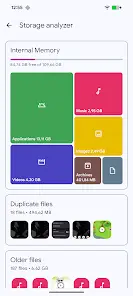
Solid Explorer File Manager
Solid Explorer is a dual-pane file management application designed with a classic commander-style interface. It provides comprehensive tools for local, cloud, and network file administration, featuring indexed search and automated file categorization.Technical Specifications
| Category | Details |
|---|---|
| Android Version | 6.0+ |
| Current Version | v3.4.10 |
| Input Support | Touch, Mouse, and Keyboard (Chromebook compatible) |
| Search | Indexed search with file size and type filters |
Core Functionality
| Feature | Description |
|---|---|
| Dual-Pane Layout | Facilitates file management and drag-and-drop transfers between panels. |
| Cloud Integration | Supports Google Drive, OneDrive, Dropbox, Box, Owncloud, SugarSync, MediaFire, Yandex, and Mega (via add-on). |
| Network (NAS) | Compatible with FTP, SFTP, SMB (Samba), and WebDav protocols. |
| Encryption | AES encryption for individual files/folders with password and fingerprint authentication. |
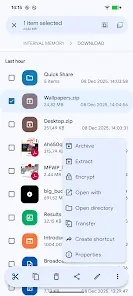
| Archive Support | Handling of ZIP, 7ZIP, RAR, and TAR formats. |
| Media/Editors | Internal image viewer, music player, and text editor. |
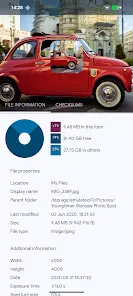
| Storage Analysis | Folder properties display space percentages and lists of large files. |
| Advanced Tools | Batch renaming with patterns, FTP Server for PC access, and Root Explorer. |
Version v3.4.10 Changelog
- Fixed Android/data access integration with Shizuku.
- Implemented minor bug fixes.
Feature Modifications
- Unlocked Status: Full/ρáíd features enabled without requiring an additional license key.
- Security & Privacy: Analytics, Crashlytics, Firebase, and Debug code removed.
- Performance: Unwanted Permissions, Receivers, Providers, and Services disabled; startup processes optimized.
- Ad Removal: All advertisement links, layouts, and service invokes removed or nullified.