 PH
PH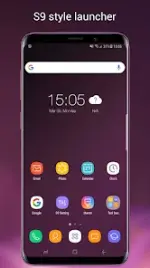
App Overview: S9 Launcher
S9 Launcher is a performance-oriented launcher styled after the Galaxy S8, S9, S10, and S22 interfaces. It is designed to provide a modern "One UI" experience on all devices running Android 4.1 and above.Technical Specifications
| Category | Details |
| Current Version | v7.8 |
| Android Compatibility | Android 4.1+ (Target API Updated) |
| Architecture | arm64-v8a, armeabi-v7a |
| Localization | Multi-language (bn, en-AU, en-CA, en-GB, en-IN, en-XC, gu, kn, mr) |
| Security | Verified via VirusTotal; Debug info removed |
Core Features
Interface & Customization- Thematic Design: Includes Galaxy S22/S10/S9/S8 themes and unified icon shaping.
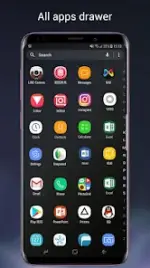
- App Drawer: Supports both horizontal and vertical scrolling styles.
- Visual Enhancements: Optional rounded corner screen simulation and various desktop transition effects.
- Highly Customizable: Adjustable grid size, icon scaling, color profiles, and font selection.
- Third-Party Support: Compatible with most icon packs available in the Play Store.
- Gesture Control: Configurable gesture actions for navigation and shortcuts.
- Privacy: Integrated tools to hide and lock specific applications.
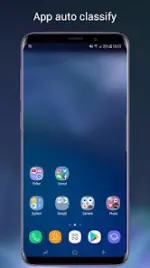
- Organization: Supports manual folder creation in the drawer and auto-classification of apps on the desktop.
- Notifications: Badge support for missed calls, unread messages, and app-specific alerts.
- Desktop Protection: Desktop layout locking to prevent accidental changes.
Recent Updates (v7.8)
- Resolved widget display inconsistencies.
- Patched reported crash bugs to improve stability.
- Updated target API level for improved compatibility.
Disclaimers
- Trademark Notice: Android is a trademark of Google, Inc. Samsung is a registered trademark of Samsung Electronics Co., Ltd.
- Development: This is an independent project and is not an official Samsung TouchWiz, One UI, or Samsung Experience product.
Main link: Download