 PH
PH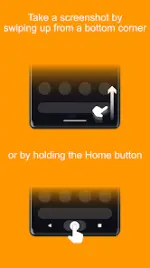
App Overview: Screenshot Assistant
Screenshot Assistant is a utility designed to streamline the screen capture process on Android devices. It replaces the default digital assistant gesture, allowing users to trigger a screenshot by swiping up from a bottom corner or long-pressing the Home button.Core Features
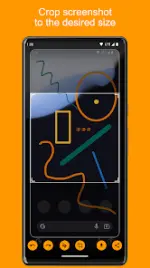
- Cropping: Adjust captured images to specific dimensions.
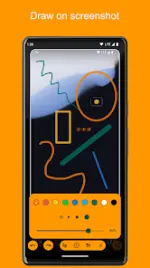
- Annotation: Built-in drawing tools for marking up screenshots.
- Storage: Direct saving to local device storage.
- Sharing: Integration with system share sheets for external distribution.
Technical Specifications
| Category | Details |
|---|---|
| Minimum OS | Android 10.0+ |
| Current Version Update | Added Gallery-to-App sharing support |
| CPU Architectures | Armeabi-v7a, Arm64-v8a, X86, X86_64 |
| Supported Languages | Spanish (es), Polish (pl) |
| Screen DPI Support | Ldpi, Mdpi, Tvdpi, Hdpi, Xhdpi, Xxhdpi, Xxxhdpi |
Configuration Guide
To enable the application, it must be set as the default Assist app within the system settings:- Navigate to Settings > Apps.
- Select the Settings icon (top right).
- Select Assist & voice input.
- Tap Assist app and choose Screenshot Assistant.