 PH
PH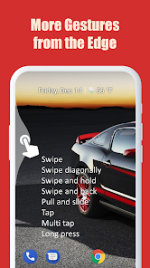
EdgeGestures v1.16.3
EdgeGestures is a productivity tool designed to facilitate one-handed navigation through customizable gesture controls located at the screen edges. It supports various interaction methods to execute system actions, application shortcuts, and media controls.Technical Specifications
| Category | Details |
|---|---|
| Version | 1.16.3 |
| Android Requirement | 8.0+ |
| License Type | ρáíd / Premium |
| Mod Features | Patched, Extra Mod, Disabled/Removed unwanted Permissions + Receivers + Providers + Services, Debug code removed |
Interaction Model
The application supports the following gesture inputs on the edge area:- Tap / Double tap
- Long press
- Swipe (Horizontal and Diagonal)
- Swipe and hold
- Pull and slide
- Pie controls
Key Functionality
| Feature Category | Actions Supported |
|---|---|
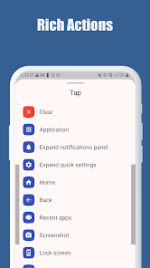
| System Navigation | Back, Home, Recent Apps, Switch to Previous App |
| System UI | Expand Notifications, Quick Settings, Power Menu, Screenshot, Lock Screen |
| App Management | Launch any application/shortcut, Toggle Split Screen |
| Utilities | Adjust Brightness, Media Volume, Scroll to Top (Android 6.0+), Fast Scroll |
Customization and Accessibility
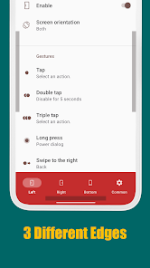
The edge trigger area is fully adjustable in terms of thickness, length, and position.Accessibility Service API Usage: The app utilizes the Accessibility Service API to execute core system-level commands. This is limited to:
- System navigation (Home, Back, Recent apps)
- UI expansion (Notifications, Quick settings, Power dialog)
- Navigation aids (Scroll to start, Fast scroll, Tap through)
- Screen management (Split screen, Lock screen, Screenshot)
Recent Updates
- Added multi-language support.
- New "Toggle service via Quick Settings" option in the Common tab.
- Added "Tap through" action.
- General bug fixes.