 PH
PH

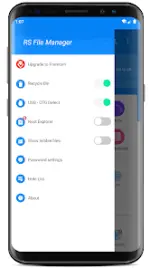
RS File Manager - RS File Explorer v2.2.7.2
RS File Manager is a comprehensive file management utility for Android designed to handle local and cloud-based file systems. The application provides a desktop-style interface for file manipulation and includes advanced diagnostic and encryption tools.Version Specifications
| Attribute | Detail |
|---|---|
| Version | v2.2.7.2 (Build 229) |
| Android Support | 6.0+ (Supports Android 16) |
| Status | PRO Activated / Premium |
| Architecture | Multi-Language, support for 120-640 DPI |
Core File Operations
The application supports standard and advanced file operations including:- Standard: Multiple Select, Cut, Copy, Paste, Move, Create, Delete, Rename.
- Organization: Search, Share, Hide, Bookmark, and Thumbnails for media/various file types.
- Compression: Zip, Rar, 7zip, and OBB (Compress/Decompress); view APK files as ZIP.
- Security: 128-bit File Encryption.
Storage & Network Connectivity
| Type | Supported Protocols / Services |
|---|---|
| Cloud Storage | Google Drive™, Dropbox, OneDrive, Yandex, Box, Google Shared Drive, Mega™, NextCloud |
| Network Storage | FTP, FTPS, SFTP, WebDAV |
| Local Network | SMB 2.0, NAS, CIFS, HTTP |
| Hardware | USB OTG, Access files from PC |
Advanced Features
- Disk Analysis: Tools to analyze space usage, identify large files, categorize file types, and view folder sizes.
- App Manager: System-level application management.
- Root Explorer: Full access to the root directory for rooted devices.
- Optimization: Performance enhancements and bug fixes implemented in latest build.
Modification Details
- Premium/PRO features unlocked.
- Debug information removed.
- Optimized performance.