 PH
PH
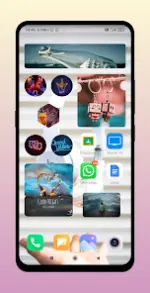
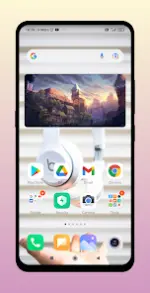
Photo Widget (iOS 17 Style)
Photo Widget is a customization utility for Android designed to display images on the home screen with various aesthetic layouts and shapes. It supports multiple image formats, including PNGs with transparency, and offers a slideshow feature.Technical Specifications
| Category | Details |
|---|---|
| Android Version | 7.1 and up |
| Device Compatibility | Support for Oppo, Vivo, Xiaomi, Samsung, and other Android devices |
| Modification Info | Pro/ρáíd features unlocked; Graphics & Resources optimized; Debug code/unnecessary files removed; Multi-language support |
| Supported CPUs | Armeabi-v7a, Arm64-v8a |
Key Features
- Custom Shapes: Display images in Rectangle, Heart, Circle, Hexagon, Star, Cloud, Sun, and "Fancy" shapes.
- Photo Slideshow: Select multiple images from the gallery for automated rotation.
- Image Handling: Supports PNG transparency and "Center Crop" functionality.
- UI Customization: Adjustable corner radius and grid-based image layouts.
- Widget Management: Supports an unlimited number of widgets on the home screen.
Installation Instructions
- Long-press or pinch an empty area on the home screen.
- Select Widgets.
- Locate Photo Widget For Home Screen.
- Drag the widget to the desired location.
Recent Updates (Version Notes)
- Widget Interactions: New on-click actions implemented.
- Interface: Rearrange screen functionality added and general UI improvements.
- Note: If widgets disappear after an update, use the Restore icon located near the Help icon within the app settings.
Layout Options
| Layout Type | Description |
|---|---|
| Geometric | Rectangle, Circle, Hexagon, Star |
| Organic/Abstract | Heart, Cloud, Sun, Fancy Shape |
| Advanced | Custom Crop, Grid Layout, Transparent PNG support |