 PH
PHdiscuss3387
Established
Description
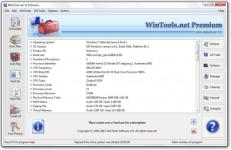
Description: WinTools.net is a comprehensive suite of tools designed to boost the performance of your MS Windows operating system. WinTools.net not only removes unwanted software and dead references from your disk drives and registry, but it also puts you in control of your MS Windows startup process and memory monitoring.
With the ability to customize your desktop and system settings, you can tailor your computing environment to fit your specific needs. WinTools.net also enhances the speed and stability of your internet connection, ensuring a smoother online experience. Prioritizing your privacy, it keeps your sensitive information secure.
WinTools.net includes tools such as Clean Uninstaller, Scan Files, Scan Shortcuts, Scan Registry, Startup Manager, Tweak UI, Net Tweaker, The Privacy, Invisible Man, File Shredder, and more. Whether you're using a home PC or the most advanced dedicated servers, these tools are guaranteed to enhance your computer's performance. Experience the difference with WinTools.net!
The WinTools.net software is available in three editions: Home, Professional, and Premium. Each edition is tailored to cater to different user needs, from basic home use to advanced professional requirements. Experience the power of optimization with WinTools.net!
is utilized for both the accurate uninstallation of software and for tracking modifications made to the hard drive, MS Windows registry, and system files during the installation of a program.
is used for periodic cleaning of your hard drive from dead references, junk, and obsolete files produced by different software. These files and references persist on the hard disk, leading to increased drive access time.
is utilized to periodically scan shortcuts of the MS Windows operating system in order to identify, rectify, or eliminate shortcuts with dead or broken links.
is employed for the regular cleaning of the MS Windows registry, removing unused applications that remain after uninstallation and invalid references that decrease system speed and system loading time.
permits you to monitor, add, remove, enable, and/or disable individual startup items. It modifies applications that are initialized during the loading process of the operating system.
eliminates traces of activity on your computer. It purges the history of initiated programs, search history, history of recently opened documents, and browsing history of various internet browsers.
Details
- File Size: 7.4 MB
Download Links
You do not have permission to view the full content of this post. Log in or register now.
You do not have permission to view the full content of this post. Log in or register now.
You do not have permission to view the full content of this post. Log in or register now.