 PH
PH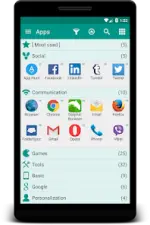
Glextor App Manager (Full/Premium)
Glextor App Manager is a comprehensive application management and organization tool for Android, designed to serve as an alternative to the default app drawer with functionality mirroring the Windows Start menu.Technical Specifications
| Category | Details |
|---|---|
| Android Version | 6.0+ |
| Architectures | arm64-v8a, armeabi-v7a, x86, x86_64 |
| Screen DPIs | 160dpi, 240dpi, 320dpi, 480dpi, 640dpi |
| Languages | Full Multi-Language support |
| Permissions | Uses Accessibility services |
Core Features
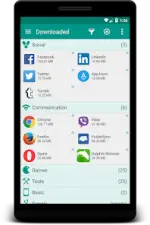
- App Organization: Automatic grouping into folders based on Google Play categories. Supports custom folder creation, renaming, and multi-group assignments.
- System Folders: Quick access to Most Used, Last Used, and Last Installed applications.
- Repository & Backup: Backup APK files to SD card or save Market links. Supports version rollback and customizable backup settings.
- Favorites & Search: Flag applications as favorites for prioritized sorting. Includes robust search and filtering tools.
- Desktop Management: Group shortcuts and widgets to reduce home screen clutter.
- UI Customization: Flexible layouts, icon pack support, themes, and menu configurations.
- Configuration Portability: Export and import app organization and settings for use on new devices.
Premium & Mod Features
| Feature | Description |
|---|---|
| Root Tools | Batch install/uninstall operations; system application removal. |
| Advanced Folders | Support for subfolders within top-level folders. |
| Extended Backup | Backup history (multiple versions per app) and automatic updates upon new installs. |
| Visibility Control | Unlimited app hiding (Free version limited to 3). Ability to hide social panels. |
| UI Enhancements | Transparency customization for popups, widget reconfiguration, and automated icon pack application. |
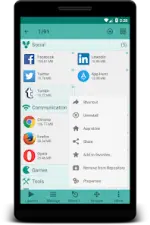
| System Customization | Unlimited items in System folders (Free version limited to 5) and context menu editing. |
| Clean Build | Ads removed; debug code and .source attributes removed. |
Recent Updates
- Improved calculation of app usage scores for the "Most Used" group.
- Added Violet color theme (available in Light and Dark modes).
- Fixed an issue where app positions would reset during manual ordering.