 PH
PH

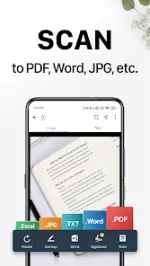
CamScanner: Portable Document Digitization & Management
CamScanner is an all-in-one productivity tool designed to convert mobile devices into portable scanners. It features integrated Optical Character Recognition (OCR) and supports multiple file formats, including PDF, JPG, Word, and TXT.App Specifications
| Category | Details |
|---|---|
| Compatibility | Android 5.0+ |
| Output Formats | PDF, JPG, Word, TXT |
| Version Info | Premium Unlocked; Various stability/UX improvements |
| Key Metrics | 300M+ users; 500,000+ daily registrations |
Core Functionality
- Digitization: Utilizes mobile hardware to scan receipts, notes, invoices, whiteboard discussions, business cards, and certificates.
- Image Processing: Features smart cropping and auto-enhancing for text and graphic clarity.
- OCR (Optical Character Recognition): Extracts text from images or PDFs for searching, editing, and sharing.
- Distribution: Supports PDF/JPEG sharing, wireless printing without external drivers, and remote faxing to over 30 countries/regions.
- Editing & Security: Includes annotation tools, custom watermarking, and password protection for file viewing or download links.
- Multi-Platform Sync: Cross-device synchronization across smartphones, tablets, and desktops.
Subscription & Mod Features
Membership Tiers: Unlimited access is available via weekly, monthly, quarterly, or annual subscription plans billed through the Google Play Store.Technical Modifications:
| Feature | Status |
|---|---|
| Premium Features | Unlocked (excluding server-side/credit-based features and 10GB cloud space) |
| Logging | Disabled |
| Analytics | FirebaseAnalytics and FirebaseCrashlytics disabled |
| Manifest Optimization | Removed unnecessary receivers, activities, alarms, and permissions for a clean, offline build |
Recent Updates
- Enhanced scan clarity and editing smoothness.
- General performance improvements.