 PH
PH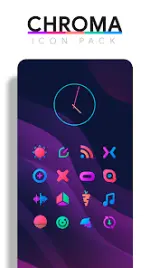
Chroma Icon Pack v3.8.7 [Patched]
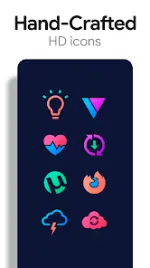
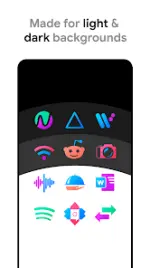
Chroma is a minimalist, colorful icon pack utilizing a consistent five-tone color palette. The set features high-definition flat icons designed with transparency elements to complement the included landscape and abstract wallpapers.Technical Specifications
| Category | Details |
|---|---|
| Version | 3.8.7 [Patched/Premium] |
| Android Compatibility | 6.0 and up |
| Icon Resolution | 288x288 (XXXHDPI) |
| Icon Count | 4,500+ hand-crafted icons |
| Wallpaper Count | 300+ (Includes 3D renders, landscapes, and abstracts) |
Included Assets & Features
- Icon Variations: Multiple alternatives for system apps (Phone, Contacts, Camera).
- Transparency: Specific icon segments are transparent to integrate with background layers.
- Wallpaper Tools: Built-in wallpaper chooser and Muzei support for automated rotation.
- Request System: Integrated "Request" tab for missing icons and online request link.
- Widgets: Includes system widgets and editable KWGT templates for Battery, Digital/Analog Clocks, and Weather.
Color Palette Hex Codes
| Color | Hex Code |
|---|---|
| Red | #eb3488 |
| Purple | #8751a1 |
| Orange | #f48075 |
| Green | #24b89d |
| Blue | #4186c6 |
Implementation Guide
| Method | Instructions |
|---|---|
| Via App | Open Chroma > Navigate to Apply tab > Select active Launcher. |
| Via Launcher | Long-press home screen > Personalization/Settings > Select Icon Pack. |
| Manual Edit | Long-press individual icons to swap variations manually. |
Note on Widgets: If widgets fail to update, ensure the application is exempt from system battery optimization settings.
What's New in v3.8.7:
- Fixed bugs affecting the digital clock widget.
- Integrated link for online icon requests.