 PH
PH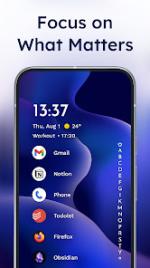
Niagara Launcher ‧ Home Screen v1.16.3 (Build 1603) [Pro]
Niagara Launcher is a minimalist productivity-focused launcher designed for ergonomic, one-handed efficiency. It integrates core Android 10 features, such as smart replies and dark mode, into a streamlined interface without advertisements.Technical Specifications
| Attribute | Details |
|---|---|
| Version | v1.16.3 (Build 1603) |
| Android Requirement | 5.0+ |
| Architecture | arm64-v8a, armeabi-v7a, x86, x86_64 |
| Screen DPI | 120dpi, 160dpi, 240dpi, 320dpi, 480dpi, 640dpi |
| Languages | Full Multi-Language support |
| Mod Status | Pro/ρáíd features unlocked; Debug code removed; .source attributes removed |
Core Features
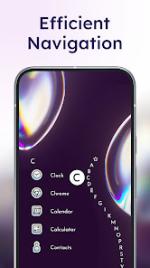
- Simplified App List: Instant access to all applications via a scrollable edge-based alphabet index.
- Integrated Notifications: Direct interaction with messages on the home screen, including expansion and quick replies via swipe gestures.
- Ergonomic Design: Optimized for one-handed usage with dual-sided scrollbar accessibility.
- Media Integration: Contextual music controls appear on the home screen during active audio playback.
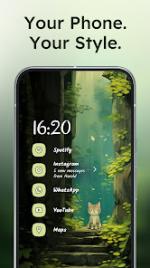
- Theming Engine: Dynamic color extraction from wallpapers, light/dark mode support, and per-app icon pack customization.
- App Management: Capability to hide pre-installed bloatware and unwanted applications.
Recent Updates
- Widget Persistence: Custom clock widgets are now preserved when switching themes or wallpapers, overriding default theme clock styles.
- Backup Improvements: User-provided wallpaper images are now included in manual file-based backups.
- Stability Fixes: Resolved crashes occurring during the import of themes containing custom fonts.
- Localization: Updated translations for multiple languages, including Afrikaans and Italian.
Main link: Download Mirror link1: Download Mirror link2: DownloadNote: The built-in weather widget is currently non-functional in this version; users should utilize a third-party weather widget application.