 PH
PH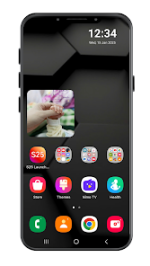
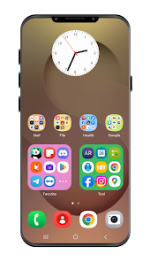
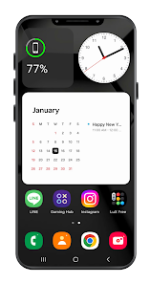
App Overview: S26 Launcher One UI Inspired
This launcher provides a refined, fluid interface designed to replicate the aesthetic and functional experience of Samsung's One UI 7 on Android devices.Technical Specifications
| Category | Details |
|---|---|
| Version | v2.1.248 |
| Requirement | Android 6.0 and up |
| Status | Premium Features Unlocked |
| Optimization | Debug codes removed; battery-efficient; lightweight |
Core Features
- One UI 7 Design: Refined interface with smooth navigation and fluid animations.
- Smart Search: Rapid access to apps, contacts, and settings via a swipe-down gesture.
- Widget Support: Aesthetic clock, calendar, and weather widgets consistent with One UI 7.
- Organization: Customizable app drawer layouts and folder grid styles.
- Customization: Support for third-party icon packs and clock widget font/background styling.
- Performance: Optimized for speed and low resource consumption on both modern and legacy hardware.
Premium Utilities
| Feature | Functionality |
|---|---|
| Edge Panel | Swipe-activated panel for quick access to tools, contacts, and frequently used apps. |
| Control Center | Centralized toggles for Wi-Fi, brightness, sound, and system settings in a Galaxy-style layout. |
| Ad-Free | Removes all advertisements from the launcher settings. |
Permissions and Privacy
The application operates offline for core features and does not collect personal data. The following permissions are required for specific functionality:- Storage: Wallpaper management.
- Contacts & Calendar: Edge Panel integration.
- System Settings: Adjustment of brightness, volume, and Bluetooth.
- Camera: Flashlight toggle within the Control Center.
- Notification Policy: Management of "Do Not Disturb" modes.
- Accessibility Service: Enables the double-tap to lock screen gesture.