 PH
PH

Screen Recorder - G1REC v3.6.4 [Premium]
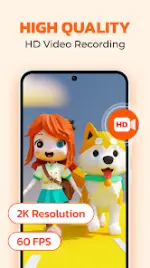
Screen Recorder - G1REC is a comprehensive utility designed for high-definition screen capture, video editing, and media conversion on Android devices. The application supports watermark-free recording and provides advanced overlays for content creators.Technical Specifications
| Category | Details |
|---|---|
| Version | v3.6.4 [Premium] |
| Android Requirement | 8.0 and up |
| Maximum Resolution | 1080p |
| Maximum Frame Rate | 60 FPS |
| Maximum Bitrate | 12 Mbps |
| License Type | Premium |
Core Functionality
- Screen Recording: Captures high-resolution video with options to record internal audio (Android 10+) and external microphone input. Includes a "Brush Tool" for real-time annotation.
- Facecam Overlay: Provides a resizable and movable window to capture front-facing camera footage simultaneously with the screen.
- Interface Management: Features a floating action button for quick screenshots and recording controls, with an option to hide the interface during active sessions.
Media Processing & Editing Tools
| Feature | Description |
|---|---|
| Video Editor | Post-capture editing suite for trimming and refining clips. |
| Video to MP3 | Extracts audio tracks from video files into high-quality MP3 format. |
| Video to GIF | Converts video segments into looping GIF animations for optimized sharing. |
| Voice Changer | Modifies vocal input for creative or comedic audio effects. |
| Video Compressor | Reduces file size while maintaining visual integrity. |
Key Technical Features
- Internal Audio Support: Native system sound recording for supported versions.
- No Watermark: Exports clean video files without application branding.
- Screenshot Utility: Instant image capture via floating button or notification shade.
- Gameplay Optimization: High-bitrate recording modes tailored for mobile gaming performance.