 PH
PH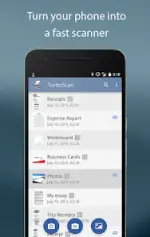
TurboScan™ Pro: PDF Scanner v1.7.3
TurboScan is a high-speed multipage scanner designed for documents, receipts, notes, and whiteboards. It utilizes advanced algorithms for edge detection, perspective correction, and image enhancement.Technical Specifications
| Category | Details |
|---|---|
| Version | v1.7.3 [ρáíd/Premium] |
| OS Compatibility | Android 8.0+ (Includes Android 15 support) |
| Processing Speed | Under 2 seconds per page |
| Privacy | Local processing; no internet connection required |
| Output Formats | PDF, JPEG, PNG |
Core Features
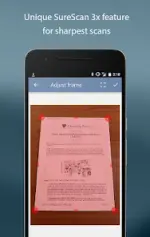
- SureScan Mode: A proprietary scanning mode that captures three images of the same document to ensure maximum sharpness and clarity, specifically optimized for low-light environments.
- Image Processing: Automatic document edge detection, perspective straightening, shadow elimination, and contrast adjustment.
- One-Tap Controls: Integrated interface for manual brightness, rotation, and color correction.
- Multipage Management: Support for adding, reordering, deleting, and copying pages between stored scans.
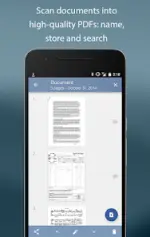
- Document Organization: In-app storage with document naming and search functionality.
- Email & Cloud Integration: "Email to myself" feature for predefined addresses; supports exporting to Dropbox, Evernote, Google Drive, and SkyDrive.
- Printing: Support for Cloud Print and third-party printing applications.
Functional Capabilities
- Batch Scanning: Arrange multiple receipts or business cards on a single PDF page.
- External Integration: Ability to open files in third-party cloud storage or fax applications.
- Attachment Optimization: Adjustable attachment sizes for compact file sharing.
- Hardware Settings: Configurable flash options to prevent image over-saturation or blurring.
Recent Updates
- Resolved Google Drive "app blocked" error.
- Implemented full support for Android 15.
- Updated Dropbox API integration for improved stability.