 PH
PH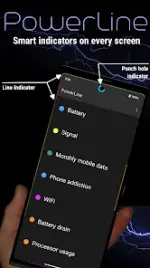
PowerLine: Smart Status Bar Indicators
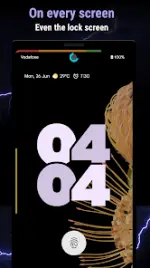
PowerLine provides real-time system indicators that can be overlaid on the status bar, lock screen, navigation bar, or any other screen position. It supports a wide range of telemetry, including a specialized pie chart for punch-hole cameras.Technical Specifications
| Category | Details |
|---|---|
| Android Version | 6.0 and up |
| Target API | Android 16 |
| Design Language | Material Design |
| Licensing | Free (2 indicators); Pro (Unlimited indicators) |
| System Permissions | Accessibility Service (for Navbar/Lock screen overlays) |
Available Indicators
| Type | Monitored Metrics |
|---|---|
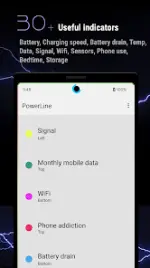
| Power & Hardware | Battery Capacity, Drain, Charging Speed, Temperature, CPU, Memory |
| Connectivity | Signal, WiFi, Network Usage (Monthly/Daily Data) |
| Environment | Compass, Barometer, Humidity |
| System/Usage | Phone Usage, Bedtime, Storage, Volume, Screen Corners |
| Notifications | SMS, Missed Calls |
Key Features
- Concurrent Overlays: Display any number of indicators simultaneously.
- Smart Visibility: Automatic hiding during full-screen applications.
- Punch Hole Integration: Pie chart indicators designed for camera cutouts.
- Accessibility Service: Utilized strictly for rendering indicators over protected UI areas like the lock screen and navigation bar; no personal data collection is performed.
Tasker Integration
Users can implement custom indicators via Tasker using the following parameters:- Package:
com.urbandroid.inline - Action:
com.urbandroid.inline.ACTION_UPDATE - Extras:
value(0-100) orvaluef(0.0-1.0)
Version Updates
- Targeting Android 16.
- Resolved issue regarding non-clickable dialogs during active overlays.
- Added new language localizations.
- Updated menu icons.