 PH
PH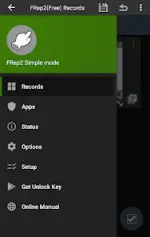
FRep2: Finger Record/Replay App
FRep2 is an automation tool designed to record and replay touch operations on Android devices. It enables the creation of Robotic Process Automation (RPA) sequences through direct touch recording or manual macro adjustment with integrated image recognition to handle varying network loads and scene transitions.Technical Specifications
| Attribute | Details |
|---|---|
| Version | v3.1 b110 [Premium] |
| Android Requirement | 7.0+ |
| File Size | 34.4 MB |
| SHA-256 | 7a4848764fa99d9edff997a91c4f81f5a20d6be3c7d0231b7bb2cbe51ce4b0be |
| Permissions | Accessibility Service (ACCESSIBILITY_SERVICE), Network Access (INTERNET) |
Core Features
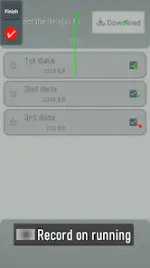
- Floating Console: Record and replay touches via a dynamic overlay that adapts based on the current active application.
- Touch Operations: Supports analog Tap, Swipe, and Flick gestures for automated navigation and processing.
- Image Matching: Logic branching based on image recognition to synchronize replays with device state or app loading screens.
- Precision Adjustment: Sequence editing allows for custom delays and end-point pauses to ensure reproducibility under varying CPU or network loads.
- Integration: Supports Tasker plugin and shortcut triggers for complex automation workflows.
Premium & Unlock Key Features
- Unlimited Records: Removal of constraints on the number of saved automation sequences.
- OCR Control: Offline Optical Character Recognition powered by Google ML Kit (v3.0+).
- Tasker Plugin: Enhanced integration with the Tasker automation framework.
- Advanced Macro Controls: Extended capabilities for preloading delayed or continuous inputs.
Recent Updates (v3.0)
| Change Type | Description |
|---|---|
| New Feature | Added OCR control utilizing offline Google ML Kit models. |
| Bug Fix | Resolved screenshot location update issues in Image control when pixel data remained static. |
| Bug Fix | Fixed unresponsiveness when triggering FRep2 shortcuts from external apps like Tasker while the editor is open. |
| UI | Modified various user interface elements for improved navigation. |
Technical Notes and Usage
- Accessibility Service: Utilized for touch replay, visual process feedback, and responsive app detection.
- Localhost Communication: Internet permission is utilized for localhost communication during the precision mode setup process.
- Reproducibility: Replay accuracy is contingent on device load. It is recommended to implement control waits and sequence delays to account for processing fluctuations.