 PH
PH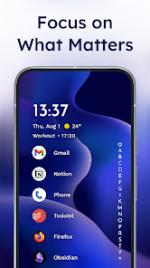
Niagara Launcher: Minimalist Productivity Home Screen
Niagara Launcher is a streamlined Android home screen replacement designed for ergonomic efficiency and a reduced digital footprint. It prioritizes one-handed usability and a clean interface while integrating core Android 10+ features such as smart replies and native dark mode.Core Features
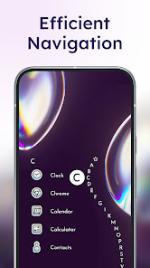
- Adaptive List Interface: Replaces traditional grid layouts with a simplified, scrollable list. An integrated alphabetical scrollbar on either edge provides instant access to all installed applications.
- Notification Management: Provides message previews and interaction capabilities directly on the home screen. Users can expand notifications to view details or perform quick replies via a swipe gesture.
- Ergonomic Design: Optimized for one-hand usage with all interactive elements positioned within thumb reach.
- Integrated Media Controls: Dynamic music controls appear automatically on the home screen during active audio playback.
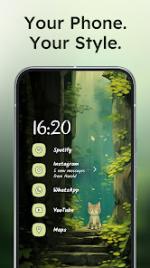
- Customization & Themes: Features a "Theme Studio" for creating, sharing, and previewing custom themes. Supports wallpaper-based color extraction, icon packs, individual icon editing, and light/dark modes.
- App Management: Includes functionality to hide pre-installed bloatware and unwanted applications for a decluttered environment.
Technical Specifications
| Category | Details |
|---|---|
| Version | v1.16.0 (Build 1600) |
| Android Requirement | 5.0+ |
| Architecture | arm64-v8a, armeabi-v7a, x86, x86_64 |
| Screen DPI | 120dpi, 160dpi, 240dpi, 320dpi, 480dpi, 640dpi |
| Languages | Full Multi-Language support |
| License | Pro / ρáíd Features Unlocked |
Build Information & Modifications
- Modifications: Pro features enabled; all debug code removed;
.sourceattributes removed from Java files. - Developer/Studio: Mellowdrop Studio.
- Release Credit: derrin.
- Notes: The built-in weather widget is non-functional in this build; use of a third-party weather widget app is recommended.
Recent Updates
- Theme Studio: New interface for theme creation with live previews and community sharing.
- Brand Refresh: Integration of Mellowdrop Studio branding and visual updates.