PH
PH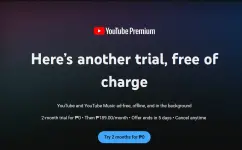
- Open YouTube: Launch the YouTube app on your phone or go to You do not have permission to view the full content of this post. Log in or register now. on your computer.
- Access the Premium Page:
- On Mobile: Tap your Profile Picture (You) icon at the bottom right, then select Get YouTube Premium.
- On Desktop: Click your profile icon at the top right and select Purchases and memberships.
- Choose Your Plan: Tap "Try it Free" (if eligible) or "Get YouTube Premium." You’ll typically see three main choices:
- Individual: Best for a single user.
- Enter Payment Details: Select your preferred payment method. In the Philippines, this usually includes Credit/Debit cards, GCash, Maya, or linked Google Play billing.
- Confirm: Review the terms and tap Buy or Start Trial.
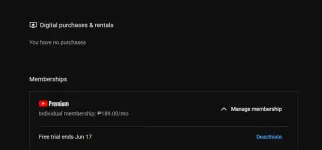
if ever malapit na ma end ang free trial just click Deactivate para hindi mag kaltas ..
ENJOY MGA KA PHCORNER