 PH
PH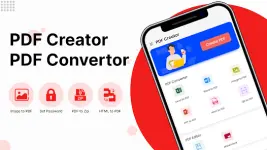
Technical Overview: PDF Creator & Converter (v2.1.68)
A comprehensive PDF utility for Android 12L+ that integrates creation, conversion, editing, and viewing capabilities into a single offline application. The tool manages document workflows locally without requiring server uploads or an active internet connection.App Specifications
| Attribute | Details |
|---|---|
| Version | 2.1.68 [Premium] |
| Compatibility | Android 12L+ |
| Core Functions | Reader, Creator, Editor, Converter |
| Connectivity | Offline (No server upload required) |
| Mod Info | Premium/Pro Unlocked, Debug removed, License Verification removed |
| Contributor | PlatinumMods |
Core Feature Set
1. PDF Conversion Tools
- Image to PDF: Supports single or batch selection from gallery/camera. Includes pre-conversion editing (crop, rotate, B&W filters, magic filters).
- Text to PDF (OCR): Scans text from images/camera to create editable text for new documents or appending to existing files.
- Web to PDF: Built-in browser tool to convert URLs into PDF files.
- Contacts to PDF: Exports device contact lists to document format.
- Text & Image Integration: Supports custom layouts with font styling (color, size, style) and adjustable image positioning/scaling on the same page.
2. Advanced Document Editing
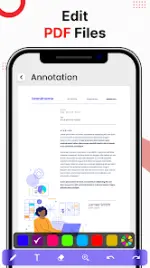
- Annotation: Highlight, underline, and add text comments or lines directly onto the document.
- File Manipulation:
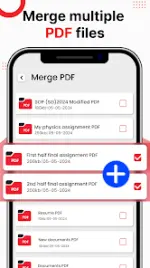
- Merge: Combine multiple PDFs with custom reordering.
- Split/Extract: Extract specific pages or split files to create new documents.
- Delete: Remove unnecessary pages from existing PDFs.
- Security: Add or remove password protection.
- Optimization: Built-in PDF compression and watermark insertion.
3. Reader & Viewer
- Capacity: High-performance viewing with no page count or file size limitations.
- Navigation: Recent files and favorites tracking for quick access.
- Workflow: Direct transition from viewing mode to annotation/edit mode.
Latest Updates (v2.1.68)
- UI/UX: Entirely redesigned user interface and enhanced user experience.
- Performance: Optimized processing speeds and app stability.
- Navigation: Added Recents and Favorites functionality.
- Integrated Tools: Improved built-in PDF Reader.
Development Roadmap
- Pending Feature: MS Office/Word to PDF conversion (currently under development).
Main link: Download Mirror link1: DownloadNote: This version contains credit advertisements.