 PH
PH

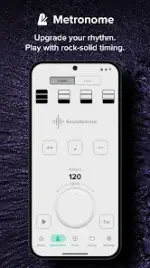
The Metronome by Soundbrenner | Version 1.32.10 [Premium Plus]
The Metronome by Soundbrenner is a professional-grade rhythm tool and practice tracker designed for multi-instrumentalists. It features high-precision clocking, advanced synchronization capabilities, and comprehensive data tracking for daily practice, studio recording, and live performance environments.Technical Specifications
| Category | Details |
|---|---|
| Version | 1.32.10 |
| OS Requirement | Android 10.0+ |
| Connectivity | USB MIDI, Bluetooth MIDI, Ableton Link |
| Audio | 20+ sound profiles |
| Mod Status | Premium Plus Features Unlocked; Debug codes removed; Unlimited Library Storage |
Core Features
Metronome & Rhythm Control
- Precision Clock: Ultra-accurate engine designed for high-demand timing requirements.
- Customization: Full control over time signatures, subdivisions, and specific beat accents.
- Tap Tempo: Manual tempo input via beat-tapping interface.
- Count-In: Configurable lead-in rhythms.
- Visual Aids: Customizable visual effects synced to the beat engine.
- Theming: Support for Light and Dark modes.
Management & Integration
- Setlist Management: Preset saving and instant loading for performance workflows.
- Hardware Integration: Advanced compatibility with digital and hardware gear via MIDI and Ableton Link.
- Cloud Sync: (Plus Feature) Automated backup and cross-device synchronization for songs and setlists.
Practice Analytics
- Instrument Tracking: Independent monitoring of practice hours per instrument.
- Progress Metrics: Detailed logs of session duration, high scores, and practice streaks.
- Scheduling: One-time or recurring practice reminders.
Soundbrenner Plus (Premium) Features
- Incremental Tempo: Automatic tempo graduation to assist with speed training.
- Muted Beats Trainer: Periodic rhythm muting to develop internal timing and precision.
- Library Cloud Sync: Cross-platform data persistence for all user-generated setlists.
Version History & Updates
- Regular performance optimizations and bug fixes.
- Detailed changelogs available within the app via Settings > What's New.