 PH
PH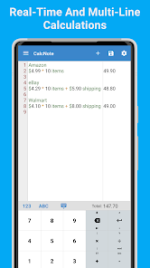
CalcNote - Notepad Calculator v2.25.109
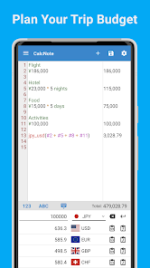
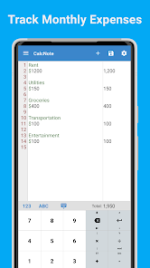
CalcNote is a notepad-based calculator designed for Android, combining the functionality of spreadsheet software with a text editor interface. It enables real-time computation without an equals button, allowing for multi-line calculations, text-mixed E×ρréššions, and automatic recalculation upon editing.Technical Specifications
| Category | Details |
|---|---|
| Version | v2.25.109 b1502 [Premium] |
| Android Requirement | 7.0+ |
| Architecture | arm7 + arm64 |
| File Size | 24.3 MB |
| SHA-256 | dd433f01b5988ba4879050838d54071c730a0c22c6873bc1a00a23c0c7b8c1ba |
Core Functionality
- Real-time Processing: Instant computation as E×ρréššions are typed.
- Text Integration: Supports mixed text and numbers (e.g., "USD 18 * 2 items + USD 4 shipping").
- Non-Destructive Editing: Correct any line at any time; all dependent results update automatically.
- Data Management: Calculations can be saved as files, organized into folders (Pro), printed, or exported via the Android share function.
- Variable Support: Ability to use variables and reuse results across different lines.
Supported Calculation Types
| Type | Examples / Functions |
|---|---|
| Basic & Financial | Percentages, tax (inclusive/exclusive), unit and currency conversions. |
| Scientific | Trigonometric, logarithmic, natural logarithms, powers, roots, factorials. |
| Statistical | Sum, average, variance, standard deviation, median, max/min. |
| Programming | Hexadecimal, octal, binary, bitwise operations, JavaScript user-defined functions. |
| Advanced Math | Permutations, combinations, specific rounding methods, and division operations. |
Customization Options
- Interface: Adjustable fonts, sizes, button layouts, and pre-set themes.
- Feedback: Haptic vibration and sound effects for button presses.
- Precision: Customizable decimal places, rounding methods, and tax rates.
- Logic: User-defined constants, functions, and grammatical customizations (comment symbols, decimal points).
- Organization: Reorderable menus and folder-based file management.
Version History
v2.25.109- Detailed feature improvements based on user feedback.
- Premium features unlocked.
- Feature improvements and minor bug fixes.
- Added folder organization for files (Pro plan).
- Minor bug fixes.
- Minor bug fixes and iterative feature improvements.