👨‍🏫 Tutorial 100% FREE AI Tutor That Can Literally Teach You Anything

Zyphyrs

Established
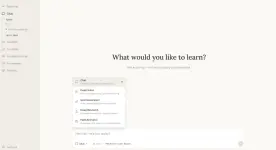
a real AI teacher that guides you step-by-step instead of just dumping answers.

It can break down complex topics, explain concepts clearly, and even test your understanding.

It can:
• Read PDFs, notes, and research papers
• Explain code, math, and technical topics
• Generate quizzes to test you
• Build a structured understanding (not just random answers)
• Act like a full AI learning assistant

Basically, parang may personal tutor ka na available anytime!

If you’re a student, programmer, or just trying to learn faster, this is a game changer.

And yes… no paywall, no BS. Just pure value.

You do not have permission to view the full content of this post. Log in or register now.
1776164080451.webp
 
paano apk bayan
hindi po apk yan bossing. pa check po ng link on how to use.
pano sya lods? hehe sorry no idea
may guide po sa link bossing. pero usually kasi sa agent ko na pinapagawa yan para di na ko ma hassle hehe.
May web-bayba to Papsi?
sorry bossing di ko gets ano ulit yun?
Paano to boss? Paturo thanks
sa link po may guide bossing
pano iset up to boss? patuts..thanks
sa link po may guide bossing
 
Di po yan ready-made to run. Ito yung initial requirements nyan to run:
  • Operating System: Windows 10+, macOS Mojave+, or a modern Linux distribution.
  • Hardware: 4 GB RAM (minimum) and 500 MB free disk space.
  • Python: Version 3.11 or higher.
  • Node.js & npm: Required for the web frontend.
  • Docker (Optional): Recommended for a streamlined setup without manual dependency management.
DeepTutor requires API keys to interact with Large Language Models (LLMs) and search providers. You must copy .env.example to .env and fill in:
  • LLM Provider: LLM_MODEL, LLM_API_KEY, and LLM_HOST (OpenAI, DashScope, or SiliconFlow).
  • Search Engine: BRAVE_API_KEY, TAVILY_API_KEY, or SERPER_API_KEY (Free tiers are often available).
For LLMs, get them here: You do not have permission to view the full content of this post. Log in or register now.
For the Search apis, kuha kayo ng free api keys - alin man dyan sa binanggit.


Summary:

To get started with DeepTutor, install Python 3.11, Node.js, and obtain an API key from an LLM provider.

The rest nasa link na po. Para po ito sa marunong mag-setup manually and who understands github projects and local AI.
Ito yung website nyan: You do not have permission to view the full content of this post. Log in or register now.
Mas malinaw dyan yung guide.

Note: Sa free apis, piliin nyo yung mataas yung daily requests para di na kayo papalit-palit sa .env configurations at mag-restart. Yung Gemini-2.5-Flash or Gemini-2.5-Flash-Lite is my recommendation since mataas yung daily request nyan or try the v3 models ng Gemini. Kung hirap kayong kumuha ng search apis, pwede na rin wala. Hanap kayo ng model na merong internal web search. Yung Gemini 2.0 pataas meron na nyan dahil supported na yan ng api model. Ginagamit yan kung walang wrb search option yung models. Sa adding of knowledgebases mas mainam kung converted na sa markdown (.md) or text yung files. Though kaya naman nyan dahil sa local tools like Docling and MinerU for document processing of pdf, ppt, doc, atbp. , mas di hirap yung AI i-chunk bago isalang sa embedding model. Sa'kin, yung bge-m3 or text-embedding-v4 ng alibaba ang best. Hanapin nyo na lang sa api providers dyan.
 
Di po yan ready-made to run. Ito yung initial requirements nyan to run:
  • Operating System: Windows 10+, macOS Mojave+, or a modern Linux distribution.
  • Hardware: 4 GB RAM (minimum) and 500 MB free disk space.
  • Python: Version 3.11 or higher.
  • Node.js & npm: Required for the web frontend.
  • Docker (Optional): Recommended for a streamlined setup without manual dependency management.
DeepTutor requires API keys to interact with Large Language Models (LLMs) and search providers. You must copy .env.example to .env and fill in:
  • LLM Provider: LLM_MODEL, LLM_API_KEY, and LLM_HOST (OpenAI, DashScope, or SiliconFlow).
  • Search Engine: BRAVE_API_KEY, TAVILY_API_KEY, or SERPER_API_KEY (Free tiers are often available).
For LLMs, get them here: You do not have permission to view the full content of this post. Log in or register now.
For the Search apis, kuha kayo ng free api keys - alin man dyan sa binanggit.


Summary:

To get started with DeepTutor, install Python 3.11, Node.js, and obtain an API key from an LLM provider.

The rest nasa link na po. Para po ito sa marunong mag-setup manually and who understands github projects and local AI.
Ito yung website nyan: You do not have permission to view the full content of this post. Log in or register now.
Mas malinaw dyan yung guide.

Note: Sa free apis, piliin nyo yung mataas yung daily requests para di na kayo papalit-palit sa .env configurations at mag-restart. Yung Gemini-2.5-Flash or Gemini-2.5-Flash-Lite is my recommendation since mataas yung daily request nyan or try the v3 models ng Gemini. Kung hirap kayong kumuha ng search apis, pwede na rin wala. Hanap kayo ng model na merong internal web search. Yung Gemini 2.0 pataas meron na nyan dahil supported na yan ng api model. Ginagamit yan kung walang wrb search option yung models. Sa adding of knowledgebases mas mainam kung converted na sa markdown (.md) or text yung files. Though kaya naman nyan dahil sa local tools like Docling and MinerU for document processing of pdf, ppt, doc, atbp. , mas di hirap yung AI i-chunk bago isalang sa embedding model. Sa'kin, yung bge-m3 or text-embedding-v4 ng alibaba ang best. Hanapin nyo na lang sa api providers dyan.
hello bossing, salamat sa pag share pero lahat naman ng guide nandun na sa link and yes hindi noob friendly yan at may learning curve pero once na magamay nila madali na gawin yan.
 
hello bossing, salamat sa pag share pero lahat naman ng guide nandun na sa link and yes hindi noob friendly yan at may learning curve pero once na magamay nila madali na gawin yan.
Tama ka. Pero di lahat nagbasa ng link bago sumagot he he. Di lahat familiar sa github projects. Sa apis pa lang, baka mahirapan sila kung di alam kung saan kukunin. Halos unlimited na sa LLMs kung mabuo nila yung set, at di maselan sa models. Sa search apis, libo rin yung free requests dyan. Dinagdagan ko na lang para mapadali sa may alam na sumunod sa guides.
You do not have permission to view the full content of this post. Log in or register now.
Sa test ko, isa sa best "tutor" interface yan for education. Dahil persistent memory ang gamit, di yan nakakalimot compared sa iba hangga't kausap mo.
Gusto ko ngang gayahin yan sa AnythingLLM para may special profile ako for tutor mode. Same din sa opencode, atbp. Ang purpose ko, pwede akong magpalit ng models on the fly. Mahirap kalikutin yung code nyan para lang magpalit ng api providers he he.
Sa deep-tutor, pwedeng dagdagan pa yung skill at agents. Pero as is, pwede na yan sa maraming specialization for accuracy together with the knowledgebases. Para siyang researcher, analyst and solver/tutor - AIO. Similar yan sa Storm project ng Stanford University na dependent sa Wikipedia. Mas comprehensive yung output, hindi summarized. Ang napansin ko lang mas kailangan nya yung web search, regardless kung meron function yung model dahil yon ang pambato nya. Pag ginamit yung internal web search ng model, na-apektuhan yung tokens ng context window ng model para sa tasks. Ang maganda sa light-RAG function nito, knowledge graph ang gamit hindi vector search tapos mag-auto switch sa web search pag hindi makita yung isasagot at magsasabi ng totoo - hindi ko alam he he. Meaning, kulang pa yung knowledge data niya.
Limited lang yung oras ko sa AI at may alaga ako sa bahay kaya ito lang muna yung feedback ko which may not be perfect. BTW, kaya rin nya yung audio and video analysis, transcription ng audio to text bago mo isalang sa iyong TTS engine. "yt-dlp" na lang ang kulang he he.
Great find pakner!

PS. Para doon sa gustong mag-test. Ito na lang para madalian:
You do not have permission to view the full content of this post. Log in or register now.
(pero free with limits, di tulad ng sa github na totally free except the apis for power users)
Di nyo malalaman kung di nyo subukan. Worth a try!
 
Tama ka. Pero di lahat nagbasa ng link bago sumagot he he. Di lahat familiar sa github projects. Sa apis pa lang, baka mahirapan sila kung di alam kung saan kukunin. Halos unlimited na sa LLMs kung mabuo nila yung set, at di maselan sa models. Sa search apis, libo rin yung free requests dyan. Dinagdagan ko na lang para mapadali sa may alam na sumunod sa guides.
You do not have permission to view the full content of this post. Log in or register now.
Sa test ko, isa sa best "tutor" interface yan for education. Dahil persistent memory ang gamit, di yan nakakalimot compared sa iba hangga't kausap mo.
Gusto ko ngang gayahin yan sa AnythingLLM para may special profile ako for tutor mode. Same din sa opencode, atbp. Ang purpose ko, pwede akong magpalit ng models on the fly. Mahirap kalikutin yung code nyan para lang magpalit ng api providers he he.
Sa deep-tutor, pwedeng dagdagan pa yung skill at agents. Pero as is, pwede na yan sa maraming specialization for accuracy together with the knowledgebases. Para siyang researcher, analyst and solver/tutor - AIO. Similar yan sa Storm project ng Stanford University na dependent sa Wikipedia. Mas comprehensive yung output, hindi summarized. Ang napansin ko lang mas kailangan nya yung web search, regardless kung meron function yung model dahil yon ang pambato nya. Pag ginamit yung internal web search ng model, na-apektuhan yung tokens ng context window ng model para sa tasks. Ang maganda sa light-RAG function nito, knowledge graph ang gamit hindi vector search tapos mag-auto switch sa web search pag hindi makita yung isasagot at magsasabi ng totoo - hindi ko alam he he. Meaning, kulang pa yung knowledge data niya.
Limited lang yung oras ko sa AI at may alaga ako sa bahay kaya ito lang muna yung feedback ko which may not be perfect. BTW, kaya rin nya yung audio and video analysis, transcription ng audio to text bago mo isalang sa iyong TTS engine. "yt-dlp" na lang ang kulang he he.
Great find pakner!

PS. Para doon sa gustong mag-test. Ito na lang para madalian:
You do not have permission to view the full content of this post. Log in or register now.
(pero free with limits, di tulad ng sa github na totally free except the apis for power users)
Di nyo malalaman kung di nyo subukan. Worth a try!
safe pot to bos? try ko sana sa PC ko
 
safe pot to bos? try ko sana sa PC ko
Legit naman siya. Pero pagdating sa mga possible risks ng paggamit ng AI apps sa GitHub tulad nito, hindi kita masasagot ng oo o hindi sa safeness ng paggamit nila. Pag natipuhan ko at wala akong nakitang pagdududa sa developer, banat agad ako he he. Ako yung tipong bahala na sa huli dahil sanay na akong madale ng malware, viruses, and intrusions he he. I live with it. That's all.

Bigyan kita ng notes: Testing AI is always a risk, lalo pa kung magpatakbo ka ng DeepTutor at You do not have permission to view the full content of this post. Log in or register now. as stated. Http is unsafe dahil walang encryption—not secure kahit pa legit yung app. Better run it in Docker or a sandbox for safety. And don't ever use 0.0.0.0 instead of localhost / 127.0.0.1, as it exposes your server to the world. Isang part pa lang yan. Most programming languages and AI assistants at present are still vulnerable, so there's always a risk for indirect prompt injection. Be sure you scan your documents before adding them to your knowledge bases, especially web links, PDFs, html, markdown files, etc.

Good luck.
 
master alist1986 tanung ko lang po bat laging nag error debit card ko sa pag lagay ng billing sa google ai studio kailangan ba talagang credit card, andaming ko nang natry bdo,landbank, maya,gotyme,
 
master alist1986 tanung ko lang po bat laging nag error debit card ko sa pag lagay ng billing sa google ai studio kailangan ba talagang credit card, andaming ko nang natry bdo,landbank, maya,gotyme,
Sorry po. Di ako eksperto sa ganyan. Ang alam ko, kung ano lang yung recommended ng google, yan yung gamitin nyo dahil doon siya naka-design sa billing. Ang gusto nyan Visa or Mastercard, hindi "prepaid" cards. Pero yung sinabi mo ay pasok naman dapat. Test mo na lang sa desktop mode or mobile mode kung saan kakagat. Sa sobrang higpit na ng Google, pati billing scheme pahirapan kahit magbabayad ka naman he he. Clear mo muna yung cache mo sa browser bago ka sumubok para fresh. Good Luck.
 
Sorry po. Di ako eksperto sa ganyan. Ang alam ko, kung ano lang yung recommended ng google, yan yung gamitin nyo dahil doon siya naka-design sa billing. Ang gusto nyan Visa or Mastercard, hindi "prepaid" cards. Pero yung sinabi mo ay pasok naman dapat. Test mo na lang sa desktop mode or mobile mode kung saan kakagat. Sa sobrang higpit na ng Google, pati billing scheme pahirapan kahit magbabayad ka naman he he. Clear mo muna yung cache mo sa browser bago ka sumubok para fresh. Good Luck.
okay na lods nakahanap ako alternative via openrouter
 

About this Thread

  • 25
    Replies
  • 862
    Views
  • 14
    Participants
Last reply from:
mjtronics23

Online now

Members online
1,159
Guests online
933
Total visitors
2,092

Forum statistics

Threads
2,273,743
Posts
28,951,263
Members
1,234,941
Latest member
mcmustafayt
Back
Top