 PH
PH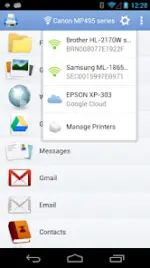
PrintHand Mobile Print v14.9.1 [Premium]
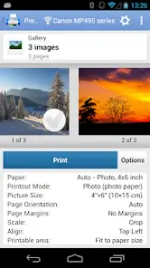
PrintHand Mobile Print enables direct printing and scanning from mobile devices via Wi-Fi, Bluetooth, or USB without requiring a computer intermediary. The application supports a wide range of document types, cloud storage services, and network configurations.Technical Specifications
| Category | Requirement / Detail |
|---|---|
| Android Version | 5.0 and up |
| USB Printing | Android 4.0+ (requires USB OTG support) |
| Connection Methods | Wi-Fi (Direct or Router), Bluetooth, USB OTG, Network Share (Mac/PC) |
| Network Support | Workgroup, Domain, Active Directory |
| Scanning | Direct mobile scanning for selected multifunction printers (Beta) |
Supported Content Types
- Office & Documents: MS Word, Excel, PowerPoint, PDF, Text (.txt)
- Media: Photos, Images, Facebook Albums
- Web & Communication: Web pages, Emails, Attachments, Contacts, Calendar Events
- Cloud Services: Google Drive, Dropbox, Box, OneDrive, Creative Cloud, SugarSync, Evernote
- External Content: Files shared from third-party applications
Version & Modification Details
| Feature | Information |
|---|---|
| Version | v14.9.1 |
| Mod Status | Premium Features Unlocked |
| Architecture | Universal (All CPUs) |
| Optimizations | Useless files cleaned; Debug codes removed |
| Changelog | General bug fixes |
Connectivity & Configuration
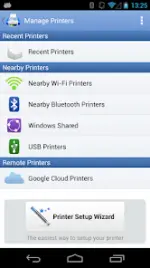
- Automated Setup: Includes a Printer Setup Wizard for automatic device detection and configuration.
- Desktop Integration: Compatible with PrintHand desktop client for Mac and Windows to facilitate printing via shared computer resources.
- Hardware Compatibility: Supports standard office printers and various portable printer models. Note that USB connectivity is subject to the specific electrical design and USB Host mode capabilities of the mobile hardware.