 PH
PH
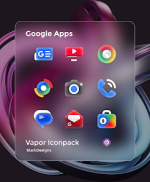
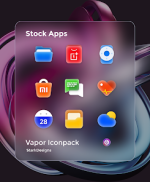
Vapor Icon Pack - Modern Icons v1.8.4
| Detail | Specification |
|---|---|
| Version | 1.8.4 [Patched] |
| Android Requirement | 5.0 and up |
| Total Icons | 3335+ handcrafted vector icons |
| Icon Resolution | 256x256px |
| Dashboard | Candybar |
Core Features
- Customization Assets: 50+ style-matched wallpapers and 5 KLWP presets integrating icons, widgets, and wallpapers.
- System Integration: Dynamic Calendar support (Google and Samsung) and custom folder icons.
- Functionality: Integrated icon search and preview within the dashboard.
- Optimization: Designed for AMOLED displays; compatible with both light and dark mode setups.
Update & Request System
| Service | Policy |
|---|---|
| Update Frequency | Guaranteed twice per week |
| Free Requests | Up to 10 icons per update |
| Premium Requests | Priority theming available |
Compatibility
A custom launcher is required unless the stock launcher natively supports third-party icon packs.- Supported Launchers: Nova, Lawnchair, Smart Launcher, and others.
Installation Procedure
- Install a compatible custom launcher.
- Open the Vapor Icon Pack application.
- Navigate to the Apply section.
- Select the desired launcher to apply the theme.
What's New (v1.8.4)
- Icon Additions: 20 new icons themed.
- Total Count: 3335+ icons.
- Update Status: Second update of the week live.
- Features: Premium icon requests active for priority processing.