 PH
PH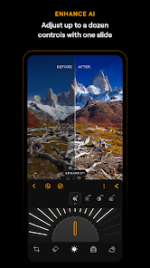

Luminar: Photo Editor v3.5 [Premium]
Overview
Luminar is an AI-driven photo editing application designed for Android and ChromeOS. It features a gesture-based interface with haptic and auditory feedback for controlling sliders and dials. The application supports non-destructive editing and direct RAW file processing.AI-Enhanced Tools
| Feature | Functionality |
|---|---|
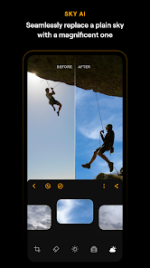
| SkyAI | Automated replacement of skies in images. |
| EnhanceAI | Single-slider adjustment for color, tone, and clarity. |
| StructureAI | Contrast and texture adjustment to reveal hidden details. |
| RelightAI | Control over exposure and dynamic light source positioning. |
| SkinAI | Automated skin retouching and blemish removal. |
| BodyAI | Realistic volume adjustment for a subject's midsection. |
Core Editing Features
- Curves: Precise color and tonal balance adjustments.
- Details: Localized sharpness and clarity enhancement.
- Crop: Tools for trimming, aligning, flipping, and rotating compositions.
- Landscape: Specialized adjustments for golden hour lighting, foliage enhancement, and haze removal.
- Monochrome: Conversion tools for black and white processing.
- Erase: Object removal tool for distracting elements.
- Photo Filters: A library of preset stylistic effects.
- RAW Support: Native editing of RAW image files.
Technical Specifications
| Requirement | Specification |
|---|---|
| OS Version | Android 11.0 or later |
| Platform Support | Android, ChromeOS (via Android Runtime) |
| Supported CPU | arm64-v8a |
| Languages | English (en) |
| Registration | Email sign-up required |
Version History & Updates
Luminar Mobile v3.3- Refreshed sign-in experience.
- Unified account flow consistent with Luminar Neo.
- Full access to EnhanceAI quality adjustments.
- Full RAW file support and post-processing flexibility.
- Premium license activation.