 PH
PH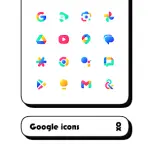
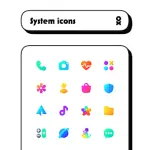
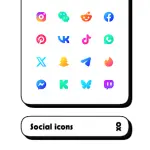
Chic Icon Pack v4.9 [Patched]
| Category | Details |
|---|---|
| App Version | 4.9 |
| Android Requirement | 5.0 and up |
| License Status | Premium / Patched |
| Icon Style | Vibrant, shapeless design |
Features
- Icon Count: 6200+ icons
- Wallpapers: Cloud-based integration
- Tools: Built-in icon request tool
- Documentation: Internal FAQ section
- Updates: Regular release cycle
Changelog (v4.9)
- Added 230 new icons.
- Resolved automatic application issues for specific icons.
Installation and Usage
- Install a compatible launcher from the list below.
- Open the Chic application.
- Navigate to the Apply section and select the active launcher.
- If the launcher is not listed, apply the icon pack manually through the launcher's internal theme settings.
Supported Launchers
| Action Launcher | ABC Launcher | ADW Launcher |
| Apex Launcher | Atom Launcher | ASAP Launcher |
| Aviate Launcher | CM Theme Engine | Cobo Launcher |
| Evie Launcher | Flick Launcher | GO Launcher |
| Holo Launcher | iTop Launcher | KK Launcher |
| Lawnchair | LG Home | Line Launcher |
| LineageOS Launcher | Lucid Launcher | M Launcher |
| Mesh Launcher | Microsoft Launcher | Mini Launcher |
| MN Launcher | Next Launcher | New Launcher |
| Niagara Launcher | Nougat Launcher | Nova Launcher |
| Open Launcher | OnePlus Launcher | Peek Launcher |
| Poco Launcher | S Launcher | Smart Launcher |
| Solo Launcher | TSF Launcher | V Launcher |
| Z Launcher | ZenUI Launcher | Zero Launcher |
Main link: Download Mirror link1: Download