 PH
PH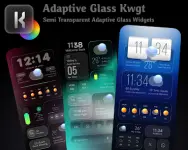
Adaptive Glass KWGT v1.0.1
| Category | Details |
|---|---|
| Version | v1.0.1 |
| Android Requirement | 6.0 and up |
| Dependencies | KWGT Pro Key [ρáíd Application] |
| Recommended Launcher | Custom launcher (e.g., Nova Launcher) |
Overview
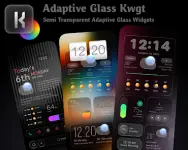
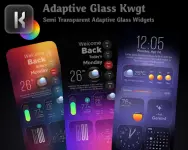
Adaptive Glass KWGT is a widget pack for home screen customization. It features 60 semi-transparent widgets designed to adapt their color scheme based on the current home screen wallpaper.Installation and Setup
- Install KWGT and the KWGT Pro Key.
- Install Adaptive Glass KWGT.
- Long-press the home screen and select the KWGT widget option.
- Add a KWGT widget to the home screen and tap it to open the editor.
- Under the "Installed" section, select Adaptive Glass KWGT.
- Choose a widget and adjust scaling to fit the home screen layout.
Technical Package Information
| Specification | Status / Detail |
|---|---|
| License Type | ρáíd / Patched |
| Environment | No root, Lucky Patcher, or Modded Google Play required |
| Code Optimization | Debug codes removed; useless files cleaned |
| Languages | Multi-language support |
| CPU Architecture | Universal (None specified) |
| Signature | Original package signature changed |