
Notewise v3.5.3 (Premium Unlock)
Description
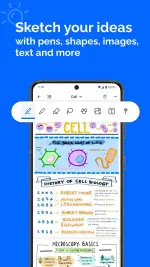
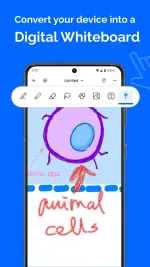
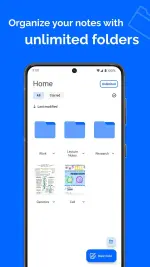
Notewise is a digital note-taking, PDF annotation, and study toolkit available on Android, iOS, and iPadOS. Built around an infinite freeform canvas, it is designed for students, professionals, and creatives who want a natural handwriting experience combined with modern digital organization. It acts as an all-in-one digital notebook, utilizing cloud synchronization and AI tools to help users capture, organize, and interact with their information.
What's New in Version 3.5.3
The 3.5.3 update (released in early April 2026) introduced a major set of features focused on canvas interactivity and workflow speed. The official release notes highlight the following additions:
- Videos on Canvas: You can now embed videos directly into your notes. This allows you to watch a video, sketch, annotate, and take notes simultaneously without having to split your screen or leave the app.
- Circle-to-Lasso Gesture: A workflow speedup where drawing and holding a circle automatically converts the stroke into a lasso tool for instant selection.
- Smart Arc Shape: A new shape-assist feature that automatically forms a perfect arc as you draw.
- Image Opacity Control: You can now adjust the transparency of imported images, which is highly useful for tracing or blending graphics into your notes.
- Merge Notewise Files: Added support for importing existing .notewise files directly into other active notes.
- Vectorized PDF Exports: Improved PDF exporting now supports vectorized text, ensuring your exported documents remain crisp and high-quality regardless of how far you zoom in.
Core Features
In addition to the newest updates, Notewise retains its robust suite of core functionalities:
- Advanced Handwriting Engine: Features ultra-low-latency writing, reliable palm rejection, pressure-sensitive pens, stroke stabilization, and custom creative brushes (like watercolor and 2B pencils).
- AI "Superpowers": Includes AI OCR (making both typed text and handwritten notes completely searchable), the ability to chat with your notes for summaries and quizzes, and context-aware highlighting.
- Audio Syncing: You can record audio during lectures or meetings, get instant transcripts, and watch your notes sync precisely to the moment they were written during the recording.
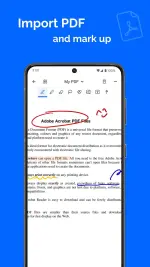
- PDF Management: Import, mark up, highlight, and sign PDFs with seamless integration.
- Workspace Customization: Features horizontal or vertical scrolling, two-page layouts for a traditional notebook feel, and a massive collection of stickers and templates.
 PH
PH