 PH
PH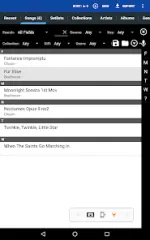
MobileSheets Trial v3.9.37 (Build 636)
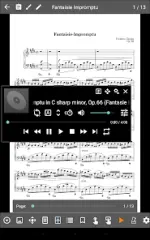
MobileSheets is a dedicated sheet music manager and viewer for Android tablets, designed to organize and annotate digital scores. The application functions as a file manager that links to PDFs, images, text, and ChordPro files, allowing users to organize existing device storage without moving files.Technical Specifications
| Category | Details |
|---|---|
| Version | v3.9.37 (Build 636) |
| Architecture | arm7 + arm64 |
| Minimum OS | Android 7.0+ |
| File Size | 82.8 MB |
| SHA-256 | 1fda088851ff86ce7ccefa7099b6443f9fa231f11c319fff6e85a0f281a7bc94 |
| Hardware Target | Optimized for 7" tablets or larger |
Core Features
- Display Modes: Side-by-side (two pages), half-page turns, and vertical scrolling.
- Hands-Free Control: Support for Bluetooth/USB pedals, automatic scrolling, and face gesture triggers (smile/open mouth).
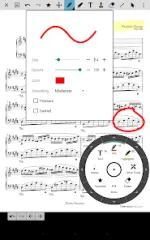
- Annotation Tools: Support for freeform drawing, shapes, text, and stamps.
- Audio Integration: Custom player with A-B looping and adjustable display sizes.
- Library Management: Extensive metadata fields, setlists, collections, and CSV index support for large PDF songbooks.
- Page Manipulation: Custom page ordering and manual/automatic cropping.
- Music Tools: Metronome with multiple modes, bookmarks, link points for repeats, and smart buttons for custom actions.
- MIDI & Text: MIDI communication over USB for song loading/triggers; chord transposition for text and ChordPro files.
Trial Version Limitations
The trial version is feature-identical to the ρáíd version with the following exceptions:- Library Capacity: Maximum 8 songs.
- Link Points: Maximum 2 per song.
- Bookmarks: Maximum 2 per song.
Changelog (v3.9.37)
- Fixed: Chord detection issues in specific text file scenarios.
- Fixed: Metronome rendering errors when using beat subdivisions in certain display modes.
- Fixed: Slovak language spelling in the selection dialog.
- Improved: Visual feedback when dragging songs to reorder groups.
- Improved: Automatic text selection/focus when tapping song numbers for reordering.
Requirements and Notes
- Sheet Music: No scores are included; users must provide their own files.
- File Playback: The app displays document files and plays audio files; it does not "play" MIDI or score files as sound.
- PC Companion: A separate Windows application is available for library management and editing.