PH
PHStep by Step Guide:
1. Open You do not have permission to view the full content of this post. Log in or register now. to register a new account and bind a payment card.
2. If mobile verification is needed, use You do not have permission to view the full content of this post. Log in or register now. or You do not have permission to view the full content of this post. Log in or register now. to rent a temporary number. You can also use your own mobile number if you prefer.
3. Connect to a Hong Kong VPN, create a Grok account, and start the 3-day free trial.
4. Keep the VPN connected and select "Pay via Amazon" on the payment page.
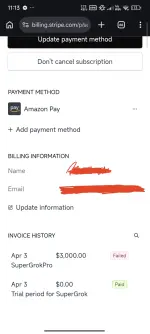
5. Go to settings and cancel the trial subscription immediately.
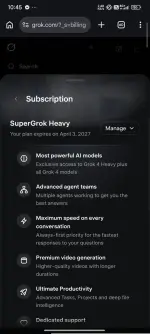
6. After canceling the 3-day trial, you will see "Update Subscription." Click it and select the 1-year SuperGrok Heavy plan.
7. When the Stripe payment link appears, click Pay.
Bilisan nyo lng pag gawa nyang SuperGrok para hindi masayang Amazon account nyo. Hanggat maaari 5mins tapos nyo na dapat.
100% Working

1. Open You do not have permission to view the full content of this post. Log in or register now. to register a new account and bind a payment card.
2. If mobile verification is needed, use You do not have permission to view the full content of this post. Log in or register now. or You do not have permission to view the full content of this post. Log in or register now. to rent a temporary number. You can also use your own mobile number if you prefer.
3. Connect to a Hong Kong VPN, create a Grok account, and start the 3-day free trial.
4. Keep the VPN connected and select "Pay via Amazon" on the payment page.
5. Go to settings and cancel the trial subscription immediately.
6. After canceling the 3-day trial, you will see "Update Subscription." Click it and select the 1-year SuperGrok Heavy plan.
7. When the Stripe payment link appears, click Pay.
Bilisan nyo lng pag gawa nyang SuperGrok para hindi masayang Amazon account nyo. Hanggat maaari 5mins tapos nyo na dapat.
100% Working